
Anúncios
With smartphones becoming essential to our daily lives, protecting them from digital threats has never been more critical.

Mobile viruses and malware are evolving at an alarming rate, targeting everything from personal photos to banking credentials. Understanding how to detect and eliminate these threats is crucial for maintaining your device’s security and your personal privacy.
Anúncios
The good news is that specialized apps can scan, identify, and remove malicious software before it causes serious damage. In this comprehensive guide, we’ll explore the best virus detection apps available, how they work, and what features you should prioritize when choosing the right protection for your smartphone. 🛡️
Why Your Smartphone Needs Virus Protection
Many users mistakenly believe that smartphones are immune to viruses, but this couldn’t be further from the truth. Mobile devices face constant threats from malware, spyware, ransomware, and phishing attacks designed to steal sensitive information.
Anúncios
Cybercriminals specifically target mobile users because phones contain valuable data—from banking apps to social media accounts, email communications, and personal photos. A single infected app can compromise your entire digital life, leading to identity theft, financial loss, and privacy violations.
Modern threats don’t always come from obvious sources. Malicious code can hide in seemingly legitimate apps, fake software updates, compromised websites, or even text messages. Without proper protection, your device remains vulnerable to these sophisticated attacks that evolve constantly.
How Virus Detection Apps Actually Work 🔍
Antivirus applications for smartphones employ multiple detection methods to identify threats. These sophisticated programs analyze app behavior, scan file systems, and monitor network connections in real-time to catch malicious activity before it causes harm.
Signature-based detection compares files on your device against a database of known malware signatures. When the app finds a match, it immediately flags the threat and recommends removal. This method is highly effective against recognized viruses but requires regular database updates.
Behavioral analysis goes beyond simple signature matching by monitoring how apps behave. If an application starts accessing unusual permissions, sending data to suspicious servers, or consuming excessive resources, the security app raises an alert even if the threat is brand new.
Cloud-based scanning leverages powerful remote servers to analyze potential threats without draining your phone’s battery or storage. This approach enables faster scanning speeds and access to the latest threat intelligence without requiring massive local databases.
Top Features to Look for in Virus Detection Apps
Not all antivirus apps offer the same level of protection. When selecting a security solution for your smartphone, certain features make the difference between basic protection and comprehensive security coverage.
Real-Time Scanning and Protection
The best virus detection apps provide continuous monitoring, scanning new files and apps immediately upon installation. This proactive approach prevents malware from executing before it can cause damage, offering a critical first line of defense.
Real-time protection should operate efficiently in the background without significantly impacting battery life or device performance. Modern apps optimize their scanning processes to maintain security while preserving your phone’s usability throughout the day.
App Permission Monitoring 🔐
Many malicious apps request excessive permissions to access your personal data. Quality security apps alert you when installed applications request unnecessary access to your contacts, location, camera, or microphone, helping you identify potential threats.
This feature becomes particularly valuable given that many users automatically grant permissions without reading what they’re actually allowing. A good security app acts as your digital watchdog, questioning suspicious permission requests on your behalf.


Web Protection and Safe Browsing
Phishing websites and malicious links pose significant threats to mobile users. Advanced security apps include web protection features that block dangerous sites, warn about suspicious links in emails or messages, and prevent you from accidentally downloading infected files.
This protection extends to your browsing experience across all apps, not just your default browser. Whether you’re clicking links in social media, email, or messaging apps, comprehensive web protection keeps you safe from online threats.
Wi-Fi Security Scanning 📡
Public Wi-Fi networks present unique security risks, as hackers often target these connections to intercept data. Security apps with Wi-Fi scanning capabilities alert you when connecting to unsecured networks and can recommend using VPN protection for sensitive activities.
Some advanced apps even analyze network security protocols and encryption standards, providing detailed information about potential vulnerabilities before you connect to unfamiliar networks at coffee shops, airports, or hotels.
Common Mobile Threats You Should Know About
Understanding the types of threats targeting your smartphone helps you appreciate why virus detection apps are essential. Cybercriminals employ various attack methods, each designed to exploit different vulnerabilities in mobile ecosystems.
Malware and Trojan Apps
Malicious software disguised as legitimate applications represents one of the most common mobile threats. These trojan apps appear functional but secretly steal data, track your activity, or download additional malicious payloads once installed on your device.
App stores implement security measures, but malware occasionally slips through, especially on third-party marketplaces. Even official stores have hosted infected apps that appeared legitimate until discovered and removed after affecting thousands of users.
Spyware and Stalkerware 👁️
Spyware applications monitor your activity without consent, tracking location, recording calls, reading messages, and accessing photos. Stalkerware takes this further, designed specifically for unauthorized surveillance by someone with physical access to your phone.
These invasive programs often hide their presence, making detection challenging without specialized security software. Virus detection apps can identify these hidden threats by analyzing app behavior and unusual data transmission patterns.
Ransomware Attacks
Mobile ransomware locks your device or encrypts your files, demanding payment for restoration. These attacks can be devastating, potentially causing permanent data loss if you haven’t maintained proper backups or lack security protection to prevent infection.
Modern ransomware variants specifically target mobile devices, recognizing that people often store irreplaceable photos, videos, and documents on their smartphones without adequate backup solutions in place.
Adware and Aggressive Pop-ups 📱
While less dangerous than other threats, adware significantly degrades user experience by flooding your device with unwanted advertisements, browser redirects, and pop-ups. These programs consume resources, drain battery life, and can expose you to additional security risks.
Some adware tracks browsing habits and sells this information to third parties, raising privacy concerns even if the software doesn’t directly steal sensitive data. Quality virus detection apps identify and remove these nuisance programs effectively.
Step-by-Step Guide to Scanning Your Phone for Viruses
Regular virus scans help maintain your device’s security and catch threats before they cause serious problems. Follow this comprehensive process to thoroughly check your smartphone for malicious software and vulnerabilities.
Step 1: Install a Reputable Security App
Download a trusted antivirus application from official app stores. Research user reviews, expert ratings, and the developer’s reputation before installation. Avoid lesser-known security apps that might themselves contain malware.
Step 2: Update the Virus Database
Before running your first scan, ensure the app downloads the latest virus definitions. These databases contain information about newly discovered threats and must be current for maximum protection effectiveness.
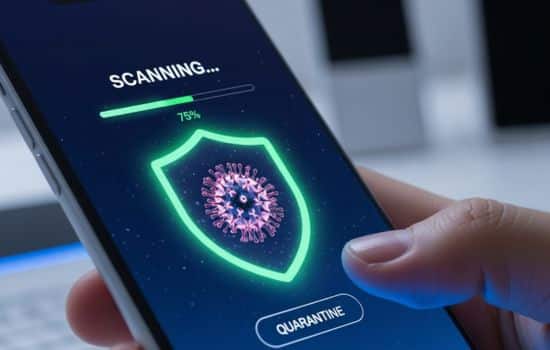
Step 3: Perform a Full System Scan
Run a comprehensive scan that examines all apps, files, and system areas. While quick scans are faster, full scans provide thorough coverage and are recommended for initial checks or when you suspect infection.
Step 4: Review and Act on Findings 🔍
Carefully examine any threats detected during the scan. Most apps categorize findings by severity and recommend appropriate actions—quarantine, deletion, or further investigation depending on the threat level.
Step 5: Enable Automatic Scanning
Configure your security app to perform regular automatic scans, ensuring continuous protection without requiring manual intervention. Schedule scans during periods when you typically don’t use your phone intensively.
Best Practices for Maintaining Mobile Security
Virus detection apps provide essential protection, but they work best when combined with smart security habits. Implementing these practices significantly reduces your risk of infection and enhances overall device security.
Download Apps Only from Official Stores
Stick to Google Play Store or Apple App Store when installing applications. Third-party app stores lack the same security screening processes, making them common distribution channels for malicious software disguised as legitimate apps.
Even within official stores, exercise caution by checking developer credentials, reading user reviews, and verifying that apps request only reasonable permissions for their stated functionality.
Keep Your Operating System Updated 🔄
Software updates frequently include critical security patches that fix vulnerabilities exploited by malware. Enable automatic updates whenever possible, ensuring your device receives protection against newly discovered threats promptly.
Manufacturers often stop supporting older devices with security updates, creating ongoing vulnerabilities. If your phone no longer receives updates, consider upgrading to a newer model that maintains active security support.
Review App Permissions Regularly
Periodically audit which apps have access to sensitive device features. Remove unnecessary permissions from applications that don’t require them for core functionality. This practice limits potential damage if an app becomes compromised or behaves maliciously.
Modern operating systems make permission management easier, allowing granular control over what each app can access. Take advantage of these privacy features to maintain tighter security boundaries around your personal information.
Use Strong Authentication Methods 🔒
Secure your device with strong passwords, PINs, or biometric authentication. Screen locks prevent unauthorized physical access, which remains a significant security risk despite advanced digital threat protections.
Enable two-factor authentication for important accounts accessed through your phone. This additional security layer protects your accounts even if malware steals your passwords or login credentials.
Understanding False Positives and Scan Results
Virus detection apps occasionally flag legitimate files or applications as threats, a phenomenon called false positives. Understanding how to interpret scan results prevents unnecessary panic and helps you make informed security decisions.
False positives typically occur when legitimate apps exhibit behaviors similar to malware—requesting sensitive permissions, modifying system files, or communicating with remote servers. Security apps err on the side of caution, flagging potentially suspicious activity for your review.
When facing a potential false positive, research the flagged app through independent sources. Check developer reputation, read expert reviews, and verify that the application comes from a legitimate source before dismissing security warnings.
Most quality security apps provide detailed information about detected threats, including specific behaviors that triggered alerts. This transparency helps you understand why something was flagged and make educated decisions about whether to trust or remove the questioned item.
When to Seek Professional Help 🆘
Most mobile security issues can be resolved using virus detection apps, but certain situations require professional assistance. Recognizing when you’re facing a problem beyond DIY solutions prevents further damage and potential data loss.
If your device exhibits persistent problems despite running multiple scans with different security apps, you might be dealing with sophisticated malware that requires specialized removal techniques. Unusual battery drain, unexplained data usage, or random crashes warrant professional evaluation.
When malware has encrypted your files or locked your device completely, professional data recovery services might be necessary. Attempting amateur fixes in ransomware situations can sometimes make recovery more difficult or impossible.
Banking credentials, identity theft, or financial fraud resulting from mobile malware require immediate attention from your financial institutions and potentially law enforcement. Document evidence of the security breach and follow recommended procedures for minimizing damage.
The Future of Mobile Security Technology
Mobile security continues evolving to counter increasingly sophisticated threats. Artificial intelligence and machine learning enable security apps to identify zero-day exploits and previously unknown malware variants by analyzing behavioral patterns rather than relying solely on signature databases.
Privacy-focused features are becoming standard in security applications, with tools for blocking trackers, managing permissions, and controlling data sharing. Users increasingly demand comprehensive protection that extends beyond traditional virus detection to encompass broader digital privacy concerns.
Cloud-based security solutions offer advantages in processing power and threat intelligence sharing. By analyzing threats across millions of devices globally, security providers can identify emerging attack patterns quickly and distribute protective updates before widespread infections occur.
Making Your Final Security App Choice ✅
Selecting the right virus detection app depends on your specific needs, device type, and usage patterns. Consider whether you require basic scanning capabilities or comprehensive security suites with additional features like VPN, password management, or identity theft protection.
Free versions of reputable security apps provide adequate protection for most users, though premium subscriptions unlock advanced features and remove advertising. Evaluate your risk profile—frequent travelers, business users, or those handling sensitive information benefit from premium protection levels.
Test different apps to find one that balances security effectiveness with acceptable performance impact. The best security app is one you’ll actually use consistently, so prioritize intuitive interfaces and features that align with your technical comfort level.
Remember that no single security measure provides complete protection. Combine virus detection apps with smart browsing habits, regular backups, and cautious app installation practices for comprehensive mobile security coverage.
Your smartphone contains a digital representation of your life—protect it accordingly. Installing a quality virus detection app represents a small investment that pays significant dividends in security, privacy, and peace of mind. Stay vigilant, keep your security software updated, and maintain healthy digital hygiene practices to enjoy your mobile device safely. 🛡️📱
