
Anúncios
Running out of storage space on your smartphone can be frustrating, but the right app can help you quickly reclaim valuable gigabytes and keep your device running smoothly.

We’ve all been there: you’re trying to snap a photo of a perfect moment, and suddenly your phone alerts you that storage is full. The panic sets in as you frantically try to delete a few old pictures or apps, hoping to free up just enough space to capture the memory.
Anúncios
Fortunately, you don’t have to manually sort through thousands of files anymore. Modern storage management apps use intelligent algorithms to identify what’s taking up space and help you clean it efficiently. Let’s explore how these powerful tools work and which features matter most when choosing the right one for your needs.
📱 Why Your Phone Runs Out of Space So Quickly
Smartphones today come with impressive storage capacities, yet many users still find themselves constantly battling the “storage full” notification. Understanding where all that space goes is the first step toward managing it effectively.
Anúncios
Photos and videos are the biggest culprits in most cases. A single minute of 4K video can consume over 400MB of storage, and high-resolution photos easily reach 5-10MB each. When you multiply this by hundreds or thousands of files, your storage fills up rapidly.
Apps themselves have grown significantly in size over the years. What used to be a 50MB application can now easily exceed 500MB or even reach several gigabytes. Social media apps, in particular, accumulate massive amounts of cache data over time, storing temporary files that were meant to speed up performance but end up becoming digital clutter.
System files and operating system updates also claim their share of space. Each major OS update requires several gigabytes, and even after installation, residual files often remain on your device unnecessarily.
🧹 How Storage Cleaning Apps Actually Work
Storage management applications employ sophisticated scanning technologies to analyze every corner of your device’s file system. They categorize data into manageable groups, making it easier to identify what can be safely removed.
These apps typically start by scanning for duplicate files. You might be surprised to discover how many identical photos, documents, or downloads exist across different folders on your phone. Smart algorithms compare file sizes, names, and even content hashes to detect perfect duplicates.
Cache cleaning is another core feature. Apps store temporary data to improve loading times, but this cache can grow exponentially. A cleaning app identifies which cached data is no longer needed and removes it without affecting app functionality.
Many advanced cleaning apps also include media analysis tools. They can identify blurry photos, screenshots you no longer need, and videos you’ve already shared or backed up elsewhere. Some even use machine learning to suggest which files you’re least likely to need based on your usage patterns.
🔍 Identifying Hidden Space Hogs
One of the most valuable features of storage management apps is their ability to reveal hidden files that consume significant space. Messaging apps, for instance, automatically download media from conversations, storing photos and videos you may never even view.
Downloaded files often accumulate in forgotten folders. PDFs, installation files, and documents you downloaded once for a specific purpose remain on your device indefinitely unless manually deleted.
Old backups and archived data can also take up surprising amounts of space. Some apps create local backups of your information, which become redundant once you’ve backed up to cloud services.


✨ Key Features to Look For in a Cleaning App
Not all storage management apps are created equal. When choosing one, certain features can make the difference between a frustrating experience and effortless device optimization.
🎯 Smart File Detection
The best apps don’t just show you a list of files to delete—they intelligently categorize and prioritize items based on their likelihood of being unnecessary. This saves you hours of manual sorting and reduces the risk of accidentally deleting something important.
Look for apps that can identify similar photos, allowing you to keep the best shot from a burst of images while deleting the rest. This feature alone can free up gigabytes if you’re an avid photographer.
🔒 Safety and Privacy Protection
Your phone contains sensitive personal information, so any app with deep file system access must be trustworthy. Choose cleaning apps from reputable developers with transparent privacy policies and positive user reviews.
The app should never automatically delete files without your confirmation. A preview feature that lets you review items before removal is essential for maintaining control over your data.
⚡ Performance Optimization Tools
Beyond simple storage cleaning, comprehensive apps offer additional performance enhancements. RAM management features can close background processes that slow down your device, while battery optimization tools identify apps that drain power unnecessarily.
Some apps include CPU cooling features that monitor processor temperature and close resource-intensive apps when your phone overheats. These extras transform a simple cleaner into a complete device maintenance solution.
📊 Understanding Your Storage Analytics
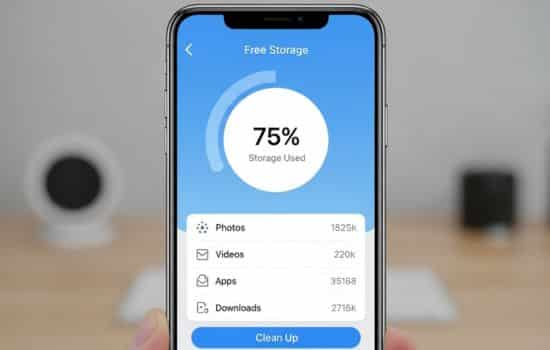
Quality storage management apps provide detailed visualizations of how your space is being used. Pie charts and bar graphs break down storage by category—apps, photos, videos, audio, documents, and system files.
This visual representation helps you make informed decisions about what to tackle first. If videos occupy 60% of your storage, you know exactly where to focus your cleaning efforts.
Timeline features in advanced apps show how your storage usage has changed over weeks or months. This historical perspective can reveal patterns, such as a particular app that gradually consumes more space over time.
🌟 Best Practices for Maintaining Free Space
While cleaning apps are powerful tools, developing good storage habits ensures you won’t constantly fight for space. Regular maintenance prevents the accumulation of unnecessary files before they become overwhelming.
📅 Schedule Regular Cleanups
Set a reminder to run your cleaning app weekly or bi-weekly. Consistent small cleanups are more manageable than massive quarterly purges. Many apps offer automatic cleaning schedules that handle routine maintenance without your intervention.
☁️ Embrace Cloud Storage Solutions
Cloud services like Google Photos, iCloud, Dropbox, and OneDrive offer cost-effective storage for your media files. Configure automatic uploads so photos and videos are backed up immediately, then use your cleaning app to remove local copies once they’re safely stored online.
Most cloud services offer free tiers with generous storage limits, and premium plans provide virtually unlimited space for a modest monthly fee—often cheaper than purchasing a phone with larger internal storage.
🎬 Stream Instead of Download
With high-speed internet widely available, streaming music and video is more practical than storing files locally. Services like Spotify, Apple Music, Netflix, and YouTube eliminate the need to download entertainment content that consumes precious storage.
If you do download content for offline use, remember to delete it once you’re finished. Downloaded playlists and shows can accumulate quickly if left unchecked.
🛡️ Avoiding Common Cleaning App Mistakes
Even with the best tools, users sometimes make errors that lead to data loss or reduced device functionality. Being aware of these pitfalls helps you use cleaning apps safely and effectively.
❌ Don’t Delete System Files
Some aggressive cleaning apps offer to remove system files or OS caches. While this might free up space temporarily, it can cause instability, crashes, or force your device to re-download the same files later. Stick to cleaning user data and app caches unless you’re absolutely certain about what you’re removing.
❌ Review Before You Delete
Never blindly accept all recommendations from a cleaning app. Always review the list of files marked for deletion, especially when it comes to photos, videos, and documents. What an algorithm considers unnecessary might hold personal value to you.
❌ Don’t Ignore App Permissions
Pay attention to what permissions a cleaning app requests. It needs storage access to function, but be wary of apps demanding unrelated permissions like contacts, camera, or location access. These could indicate data harvesting or privacy concerns.
💡 Advanced Tips for Power Users
Once you’ve mastered basic storage management, these advanced techniques can help you squeeze even more space from your device and maintain peak performance.
📂 Use File Compression
Some apps offer built-in compression tools that reduce file sizes without deleting them. This is particularly useful for documents, PDFs, and older photos you want to keep but don’t need in original quality.
🔄 Manage App Data Manually
Dive into your device’s settings to examine storage usage by individual apps. You’ll often find that apps like Facebook, Instagram, or messaging services have accumulated gigabytes of cache. Clearing this data through system settings is sometimes more effective than relying solely on cleaning apps.
📱 Consider Expandable Storage
If your device supports microSD cards, adding expandable storage is a cost-effective alternative to constantly managing space. You can move photos, videos, and even some apps to the external card, reserving internal storage for the operating system and frequently used apps.
🚀 The Future of Storage Management
As artificial intelligence continues to advance, storage management apps are becoming increasingly sophisticated. Machine learning algorithms now predict which files you’re unlikely to need and can automatically archive or delete them based on your habits.
Integration with cloud services is becoming seamless, with apps automatically moving older files to the cloud while keeping recent items local for quick access. This hybrid approach offers the best of both worlds—immediate access to what you need and unlimited storage for everything else.
Battery and performance optimization features are also evolving. Future apps will likely offer comprehensive device health monitoring, alerting you to potential issues before they become serious problems.
🎯 Making the Right Choice for Your Device
Choosing the perfect storage management app depends on your specific needs and usage patterns. If you’re primarily struggling with photos and videos, look for apps with strong media management features. If app bloat is your main concern, prioritize cache cleaning and app management tools.
Read recent reviews to ensure the app is actively maintained and compatible with your device’s operating system version. Free versions often provide adequate functionality for most users, while premium tiers unlock advanced features like automatic cleaning, cloud integration, and ad-free experiences.
Remember that the best app is one you’ll actually use consistently. A simple, intuitive interface encourages regular maintenance, while overly complicated tools might sit unused on your home screen.
🌈 Reclaim Your Digital Space Today
Living with a constantly full phone is frustrating and unnecessary. With the right storage management app and good maintenance habits, you can enjoy your device’s full potential without constantly worrying about space limitations.
The few minutes you spend each week cleaning your device pay dividends in improved performance, faster operation, and the freedom to capture moments without storage anxiety. Your smartphone is a powerful tool—don’t let digital clutter hold it back.
Start by downloading a trusted cleaning app, run your first comprehensive scan, and experience the satisfaction of seeing gigabytes of space return to your device. You’ll wonder how you ever managed without it, and your phone will thank you with smoother, faster performance that makes every interaction more enjoyable.
Take control of your storage today and rediscover the joy of using a device that works as efficiently as the day you first powered it on. Your photos, apps, and peace of mind all deserve a phone with room to breathe.
