
Anúncios
# Practical Guide for Using Digital Tape Measure Apps
Digital tape measure apps have revolutionized how we measure spaces, offering precision and convenience right from our smartphones.
Anúncios


Gone are the days when you needed to carry a physical tape measure everywhere. Modern technology has transformed our smartphones into powerful measuring tools capable of delivering accurate results for various projects. Whether you’re a professional contractor, interior designer, DIY enthusiast, or someone who occasionally needs to measure furniture dimensions, digital tape measure apps provide an accessible solution that fits right in your pocket.
The beauty of these applications lies in their versatility and ease of use. With augmented reality technology and advanced camera sensors, your phone can now measure distances, heights, areas, and even volumes with impressive accuracy. This practical guide will walk you through everything you need to know about using digital tape measure apps effectively, from initial setup to advanced measuring techniques that will make your projects smoother and more efficient.
Anúncios
## 📱 Understanding How Digital Tape Measure Apps Work
Digital tape measure applications utilize your smartphone’s built-in sensors and camera technology to calculate measurements. Most modern apps leverage augmented reality (AR) capabilities, which overlay digital information onto the real world viewed through your camera. The process involves detecting surfaces, calculating distances using depth sensors, and applying mathematical algorithms to provide accurate measurements.
Your phone’s camera captures the physical space while the app’s software identifies reference points and calculates distances between them. Some apps use the device’s accelerometer and gyroscope to enhance accuracy, while others rely primarily on visual data processing. Understanding this technology helps you appreciate why proper calibration and technique matter when taking measurements.
The accuracy of these apps has improved dramatically over recent years. While they may not replace professional-grade equipment for critical construction projects, they’re remarkably reliable for everyday measuring needs. Most quality apps can achieve accuracy within 1-2% margin of error when used correctly, making them suitable for furniture shopping, room planning, and many home improvement tasks.
## 🎯 Getting Started: Download and Initial Setup
Begin by downloading a reputable digital tape measure app from your device’s app store. Look for applications with high ratings, regular updates, and positive user reviews. Once installed, the app will likely request access to your camera, photos, and possibly location services. Grant these permissions, as they’re essential for the app to function properly.
Upon first launch, many apps will guide you through a calibration process. This step is crucial for ensuring measurement accuracy. The calibration typically involves scanning a known object or surface to help the app understand your device’s camera specifications and sensor capabilities. Follow the on-screen instructions carefully, and don’t skip this important setup phase.
Take time to explore the app’s interface and familiarize yourself with available features. Most digital tape measure apps offer multiple measurement modes, including linear measurements, area calculations, height detection, and volume estimation. Understanding what each mode does before you need it will save time during actual projects.
## 🔧 Essential Calibration Techniques for Accurate Results
Proper calibration significantly impacts measurement accuracy. Start by placing a physical object with known dimensions in your measuring area. This could be a standard ruler, a book with measured dimensions, or any object whose size you’ve verified. Use your digital tape measure app to measure this reference object and compare the results.
If discrepancies exist, check your app’s settings for calibration adjustments. Many applications allow manual calibration fine-tuning where you can input the actual measurement to help the app recalibrate its algorithms. This process teaches the app about your specific device’s characteristics and environmental conditions.
Environmental factors affect measurement accuracy. Ensure adequate lighting in your workspace, as poor lighting conditions can interfere with the camera’s ability to detect surfaces and edges accurately. Avoid measuring in extremely bright sunlight or complete darkness. Neutral, even lighting produces the best results.
## 📏 Mastering Basic Linear Measurements
Linear measurements represent the most common use case for digital tape measures. To measure a straight line distance, open your app and select the linear measurement mode. Point your camera at the starting point of what you want to measure. The app will typically display a crosshair or target indicator on your screen.
Tap the screen to set your starting point, then slowly move your phone toward the endpoint while keeping the camera focused on the surface. Move steadily and avoid sudden jerky movements, which can confuse the app’s tracking algorithms. When you reach the endpoint, tap again to complete the measurement.
For best results, maintain a consistent distance from the surface you’re measuring. Getting too close or too far can affect accuracy. Most apps work optimally when you’re between 1 and 10 feet from the target surface. Practice taking multiple measurements of the same distance to develop consistency and confidence in your technique.
## 🏠 Measuring Room Dimensions and Floor Plans
Digital tape measure apps excel at capturing room dimensions for floor planning and interior design projects. Start by measuring one wall at a time, beginning from a corner. Position yourself so you can see both the floor and the target wall clearly in your camera view.
Set your first point at the bottom corner where the wall meets the floor, then drag to the opposite corner. Record this measurement before moving to the next wall. Continue around the room systematically, measuring each wall in sequence. This methodical approach prevents confusion and ensures you don’t miss any dimensions.
For irregular rooms with alcoves, nooks, or architectural features, break the space into rectangular sections. Measure each section separately, then combine the measurements to understand the total layout. Some advanced apps offer room scanning features that automatically create floor plans as you move around the space.
## 📐 Calculating Areas and Perimeters Efficiently
Area measurements prove invaluable when planning flooring installations, painting projects, or landscape design. Most digital tape measure apps include area calculation modes that work by measuring the boundaries of a space. Select the area measurement tool, then define the perimeter by tapping points along the edges of the area.
Walk around the space you’re measuring, tapping to place points at each corner or direction change. The app will connect these points and calculate the enclosed area automatically. This feature works particularly well for rectangular and square spaces but can also handle irregular polygons.
When measuring areas, accuracy depends on precise corner placement. Take your time positioning each point exactly where surfaces meet. Small errors in point placement can compound into significant area calculation discrepancies, especially in larger spaces. Double-check your perimeter outline before finalizing the measurement.
## 📦 Measuring Object Heights and Vertical Distances
Height measurements present unique challenges compared to horizontal measurements, but digital tape measure apps handle them effectively. To measure an object’s height, position yourself so you can see both the object’s base and top within your camera view. Some apps use the floor as an automatic reference plane.
Select the height measurement mode, which might be labeled as “vertical measure” or “height finder.” Point your camera at the base of the object and set your starting point where the object meets the ground. Slowly tilt your phone upward, following the object’s vertical line until you reach the top.
For tall objects like ceilings or trees, you may need to step back to capture the full height in your camera view. Maintaining your phone’s vertical orientation (portrait mode) typically provides better results for height measurements. Some apps offer automatic height detection that identifies vertical surfaces and calculates heights with minimal input.
## 🎨 Advanced Features: Volume and 3D Measurements
Volume calculations help when determining how much space a piece of furniture occupies or calculating storage capacity. Digital tape measure apps with 3D measurement capabilities can assess volume by combining length, width, and height measurements. This feature proves particularly useful for shipping calculations and space planning.
To measure volume, select the 3D or volume measurement mode. The app will guide you through measuring all three dimensions of an object. Some advanced applications allow you to create virtual 3D models of objects by scanning them from multiple angles, providing even more detailed spatial information.
These advanced features typically require newer smartphone models with sophisticated camera arrays and LiDAR sensors. If your device supports these capabilities, experiment with 3D measurement modes for complex projects. The learning curve is steeper than basic measurements, but the results can save significant time compared to manual calculation methods.
## 💡 Pro Tips for Maximum Accuracy
Consistency in your measuring technique dramatically improves accuracy. Always hold your phone at a similar height and distance from objects when taking measurements. Developing a standard approach creates repeatable results you can trust for important projects.
Clean your camera lens before measuring sessions. Smudges, fingerprints, and dust interfere with the app’s ability to process visual information accurately. A quick wipe with a microfiber cloth takes seconds but can significantly impact measurement quality.
Use physical markers or reference points when measuring large spaces. Place visible objects at key locations to help you remember measurement points and maintain orientation. This technique prevents confusion in complex spaces with multiple dimensions.
Take multiple measurements of critical dimensions. If you’re measuring for expensive materials or important construction decisions, measure the same distance three times and use the average. This redundancy catches errors and provides confidence in your results.
## 🛠️ Common Challenges and Troubleshooting Solutions
Reflective surfaces like mirrors and glass can confuse digital tape measure apps. These materials reflect light unpredictably, making it difficult for apps to determine true distances. When measuring near reflective surfaces, either cover them temporarily or position yourself to minimize reflections in your camera view.
Low contrast environments where walls, floors, and objects are similar colors challenge the app’s edge detection algorithms. In these situations, temporarily place contrasting objects at measurement points. A piece of colored tape or a sticky note provides a clear target for more accurate measurements.
If measurements seem consistently inaccurate, recalibrate your app. Environmental changes, software updates, or even dropping your phone can affect calibration. Regular recalibration maintains accuracy, especially if you use your measuring app frequently.
Battery drain can be significant when using AR-based measuring apps. The combination of camera usage, processing power, and display brightness consumes energy quickly. Ensure your phone is adequately charged before major measuring sessions, or keep a portable charger handy for extended projects.
## 🏗️ Practical Applications for Home and Professional Use
Digital tape measures shine in furniture shopping scenarios. Before purchasing that new couch or dining table, measure your available space accurately. You can even measure existing furniture to ensure new pieces will complement your current layout proportionally.
Home improvement projects benefit enormously from digital measuring tools. Calculate wall areas for paint purchasing, floor spaces for tile or carpet estimates, and window dimensions for curtain shopping. The convenience of having your measurements stored digitally means you won’t lose that crucial piece of paper with your notes.
Professional contractors and tradespeople increasingly incorporate digital tape measure apps into their workflows. For preliminary estimates, quick verifications, and client consultations, these apps provide fast, reliable measurements without requiring bulky equipment. They complement rather than replace traditional tools.
Real estate professionals use digital measuring apps to quickly document property dimensions, create accurate listings, and help clients visualize spaces. The ability to instantly calculate room sizes and share measurements digitally streamlines the property viewing process.
## 🔄 Comparing Digital vs. Traditional Measuring Tools
Traditional tape measures offer tactile feedback and don’t require batteries or calibration. They remain essential for detailed construction work where precision matters most. However, they require two hands to use effectively and can be cumbersome for large spaces or solo measurements.
Digital tape measure apps provide convenience and accessibility. They’re always with you since they’re on your phone, they work well for solo operations, and they automatically calculate areas and volumes. Their limitations include dependence on battery life, potential accuracy issues in poor lighting, and unsuitability for extremely precise professional applications.
The ideal approach combines both tools. Use your digital app for preliminary measurements, spatial planning, and quick references. Rely on traditional measuring tools for final verification and situations requiring absolute precision. This hybrid strategy leverages the strengths of both technologies.
## 📊 Recording and Organizing Your Measurements
Most digital tape measure apps include built-in features for saving and organizing measurements. Take advantage of these capabilities by creating projects or folders for different rooms or tasks. Consistent organization prevents confusion when you reference measurements days or weeks later.
Annotate your measurements with photos and notes. Visual context helps tremendously when reviewing measurements later. A photo showing where you measured combined with the numerical data creates a complete record that’s easy to understand without relying on memory.
Export your measurements to other applications when needed. Many apps allow you to share measurements via email, text message, or cloud storage services. This functionality facilitates collaboration with contractors, designers, or family members involved in your projects.
## 🎓 Developing Your Digital Measuring Skills
Practice regularly to build confidence and improve accuracy. Measure familiar objects with known dimensions to test your technique and compare results. This experimentation helps you understand your app’s strengths and limitations without the pressure of a real project.
Watch tutorial videos specific to your chosen app. Developers often create instructional content showing advanced features and techniques you might not discover through casual use. These resources can dramatically shorten your learning curve.
Join online communities focused on digital measuring tools and home improvement projects. These forums provide opportunities to learn from experienced users, troubleshoot problems, and discover creative applications you hadn’t considered.
## 🌟 Making the Most of Your Digital Measuring Experience
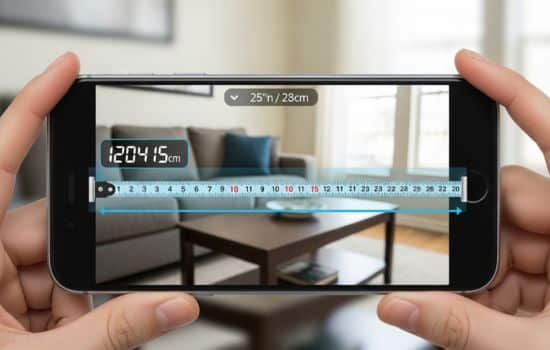
Digital tape measure apps represent more than just technological novelty—they’re practical tools that genuinely simplify common measuring tasks. By understanding their capabilities, limitations, and proper usage techniques, you transform your smartphone into a versatile measuring instrument suitable for numerous applications.
Success with digital measuring tools comes from combining technical understanding with practical experience. Start with simple projects to build your skills, gradually progressing to more complex measurements as your confidence grows. Remember that these apps complement rather than completely replace traditional tools, and knowing when to use each approach demonstrates true measurement proficiency.
The convenience of having accurate measuring capabilities available anytime you have your phone cannot be overstated. Whether you’re shopping for furniture, planning a renovation, or simply satisfying curiosity about dimensions around you, digital tape measure apps provide immediate answers without requiring additional equipment. Embrace this technology, practice regularly, and you’ll wonder how you ever managed without this powerful tool in your digital toolkit.
