
Anúncios
Have you ever wondered if your internet provider is delivering the speed you’re actually paying for? It’s time to discover the truth.


For years, internet service providers have been playing a clever game with measurements and technical jargon that confuses even the most tech-savvy users. The difference between what you’re promised and what you actually receive can be staggering, yet most people never realize they’re being shortchanged.
Anúncios
Understanding your real internet speed isn’t just about technical curiosity—it’s about getting what you paid for and ensuring your online experience matches your expectations. Let’s dive into how you can finally see through the smoke and mirrors. 🎯
The Confusion Between Megabits and Megabytes
This is where most of the deception begins. Internet providers advertise speeds in Megabits per second (Mbps), but when you download a file, your browser shows the speed in Megabytes per second (MB/s). Notice the difference? That lowercase “b” versus uppercase “B” makes a massive difference.
Anúncios
One byte equals eight bits. This means if you’re paying for a 100 Mbps connection, your maximum theoretical download speed would be around 12.5 MB/s. Many users see downloads reaching only 10-12 MB/s and assume their internet is slow, when in reality, they’re getting exactly what they paid for—just measured differently.
Internet companies know this confusion exists and rarely go out of their way to clarify it. After all, “100 Mbps” sounds much more impressive on an advertisement than “12.5 MB/s,” even though they represent the same thing. This marketing strategy has been incredibly effective for decades.
Why Your Speed Tests Might Be Lying to You
Not all speed tests are created equal. Some providers have been caught optimizing connections specifically to speed test servers, making your connection appear faster than it actually performs during regular use. This practice, known as “speed test optimization,” gives you inflated results that don’t reflect real-world performance.
Additionally, the time of day significantly impacts your results. Testing at 3 AM when network congestion is minimal will give you very different numbers compared to 8 PM when everyone in your neighborhood is streaming videos and gaming online.
Your testing device matters too. Running a speed test on an old smartphone connected via Wi-Fi will produce vastly different results compared to a modern computer connected directly via ethernet cable. The bottleneck might not be your internet connection at all—it could be your hardware or wireless signal strength.
What Accurate Speed Testing Requires 🔍
To get honest measurements, you need to control several variables. First, always connect directly to your router using an ethernet cable when testing. Wi-Fi introduces too many variables—walls, interference from other devices, and distance from the router all impact speeds dramatically.
Close all applications and browser tabs except the one running the speed test. Background updates, cloud syncing, and streaming services all consume bandwidth and will skew your results downward. Even having multiple devices connected to your network can impact the test, so disconnect them temporarily if possible.
Run multiple tests at different times throughout the day and on different days of the week. A single test provides only a snapshot. Five or six tests spread across various times will give you a much more accurate picture of your typical internet performance.

Understanding the Three Key Metrics
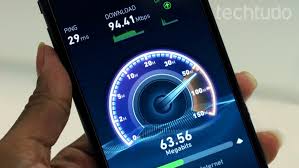
Speed tests measure three primary metrics, and each tells you something different about your connection. Download speed indicates how quickly data travels from the internet to your device—this affects streaming, web browsing, and file downloads. Most people focus exclusively on this number, but it’s only part of the story.
Upload speed measures how fast data travels from your device to the internet. This matters for video calls, uploading files to cloud storage, and sending large email attachments. Many internet plans offer asymmetric speeds, with much slower upload than download speeds.
Ping (or latency) measures how long it takes for data to make a round trip from your device to a server and back, measured in milliseconds. Lower is better. This metric is crucial for online gaming, video conferencing, and any real-time interactive application. You could have blazing fast download speeds but still experience lag if your ping is high.
The Numbers That Actually Matter
For most households, download speeds of 25-50 Mbps are sufficient for streaming HD video, browsing, and light gaming. If you have multiple users or devices, aim for 100 Mbps or higher. Don’t fall for the marketing hype that claims everyone needs gigabit speeds—most people can’t fully utilize such fast connections.
Upload speeds become critical if you work from home and participate in video conferences regularly. Look for at least 10 Mbps upload speed for smooth video calling. Content creators who upload large video files need significantly more—50 Mbps or higher makes a noticeable difference.
For ping, anything under 20ms is excellent, 20-50ms is good, 50-100ms is average, and above 100ms starts causing noticeable delays in interactive applications. Gamers should aim for sub-50ms ping to competitive servers.
Common Factors That Slow Your Connection
Your router might be the weakest link in your internet setup. If you’re using the basic router provided by your ISP from five years ago, it’s likely outdated and incapable of handling modern internet speeds effectively. Routers degrade over time and benefit from regular reboots.
Wi-Fi interference from neighboring networks creates significant slowdowns, especially in apartment buildings where dozens of routers compete for the same wireless channels. Switching to less crowded channels or upgrading to a dual-band router operating on 5GHz can provide immediate improvements.
Background applications constantly consume bandwidth without you realizing it. Automatic updates, cloud backup services, smart home devices, and even malware can all nibble away at your available speed. Check your task manager or activity monitor to see what’s actually using your connection.
The Hidden Impact of VPNs
Virtual Private Networks encrypt your traffic and route it through remote servers, which inherently slows your connection. The speed reduction varies based on the VPN provider’s server quality and location. Using a VPN server in another country adds significant latency and reduces throughput.
Some ISPs throttle certain types of traffic, like streaming video or peer-to-peer file sharing. Ironically, using a VPN can sometimes improve speeds in these scenarios by preventing your ISP from identifying and slowing specific traffic types. The relationship between VPNs and speed is complex and situation-dependent.
What Your ISP Doesn’t Want You to Know 📡
Internet plans advertise “up to” speeds, which is legal fine print that absolves providers from delivering consistent performance. That “up to 300 Mbps” plan might deliver 300 Mbps at 4 AM but drop to 75 Mbps during peak evening hours. You’re technically getting what was promised in the contract, even if it’s misleading.
Many providers engage in network congestion management, which is a polite term for intentionally slowing certain customers during busy periods. Users who consume large amounts of data might find their speeds reduced after crossing invisible thresholds, even on “unlimited” plans.
The connection between your home and the ISP’s network is only one part of the equation. Once your data enters the broader internet, it passes through multiple networks and routing decisions beyond your ISP’s control. Slowdowns could occur anywhere along that path, yet you’ll blame your internet provider.
Tools That Reveal the Real Truth
Reliable speed testing requires trustworthy tools. Speedtest by Ookla remains the most popular option, with servers worldwide and detailed metrics. However, consider running tests through multiple services to cross-verify results. Fast.com, created by Netflix, specifically tests streaming performance.
For deeper analysis, tools like PingPlotter or WinMTR trace the exact path your data takes across the internet and identify where slowdowns occur. These utilities help distinguish between problems with your ISP versus issues with websites or services you’re trying to access.
Mobile apps offer convenience for testing on the go or checking your wireless speeds in different rooms. The best apps maintain testing history, allowing you to track performance trends over weeks or months and identify patterns you might otherwise miss.
Advanced Monitoring Solutions
Continuous monitoring provides insights that periodic manual tests can’t match. Setting up a Raspberry Pi or using specialized software to run automated speed tests every hour creates a comprehensive performance database. This data becomes invaluable evidence if you need to dispute billing or service quality with your provider.
Many modern routers include built-in speed testing and traffic monitoring features. Exploring your router’s admin interface might reveal capabilities you didn’t know existed, including bandwidth usage by device and historical performance data.
Taking Action When You’re Being Shortchanged
Document everything. Save screenshots of your speed tests with timestamps, keep records of outages, and note when speeds fall significantly below advertised rates. This evidence strengthens your position when contacting customer service or filing complaints with regulatory agencies.
Contact your ISP’s customer service with specific data rather than vague complaints. Saying “my internet is slow” gets generic troubleshooting advice. Presenting documented evidence that you’re consistently receiving 40% of advertised speeds prompts more serious investigation.
Many ISPs offer guaranteed speed tiers or service level agreements that entitle you to credits or refunds when performance falls below specified thresholds. You won’t receive these automatically—you must request them and follow up persistently.
When to Consider Switching Providers
If your ISP consistently fails to deliver acceptable speeds despite multiple service calls and escalations, it might be time to explore alternatives. Check if fiber optic services have expanded to your area—fiber connections typically deliver more consistent speeds than cable or DSL.
Community broadband initiatives and smaller regional ISPs sometimes provide better service than national conglomerates. These providers often prioritize customer satisfaction over shareholder returns, resulting in more responsive support and honest advertising.
The Future of Transparent Internet Speeds 🚀
Regulatory pressure is increasing for truth in advertising regarding internet speeds. Some regions now require ISPs to disclose typical speeds during peak hours rather than theoretical maximums. These regulations help consumers make informed decisions based on realistic expectations.
New technologies like Wi-Fi 6 and mesh networking systems deliver more consistent wireless speeds throughout homes. As these technologies become standard, the gap between wired and wireless performance narrows, making accurate speed measurement more straightforward.
The push toward symmetrical internet speeds, where upload and download speeds match, represents another positive trend. Fiber optic connections naturally support symmetrical speeds, and as fiber deployment expands, more consumers will experience balanced, honest internet performance.
Empowering Yourself With Knowledge
Understanding your real internet speed transforms you from a passive consumer into an informed customer who can advocate effectively for better service. The technical concepts aren’t as complicated as ISPs want you to believe—a few hours of research puts you on equal footing during customer service conversations.
Share this knowledge with friends and family. The more people who understand these issues, the greater the pressure on internet providers to adopt transparent practices and deliver on their promises. Consumer awareness drives industry improvement more effectively than regulations alone.
Your internet connection forms the foundation of modern digital life, from remote work to entertainment to staying connected with loved ones. You deserve to receive exactly what you’re paying for, measured honestly and delivered consistently. Now you have the tools and knowledge to ensure that happens. ✨
Stop accepting vague explanations and misleading measurements. Test your connection properly, understand what the numbers mean, and hold your provider accountable. The difference between advertised speeds and real-world performance should be minimal, not a massive gap that ISPs hide behind technical jargon and fine print.
The power to see through internet speed deception is now in your hands—use it wisely and demand better.
