
Anúncios
Modern smartphones have transformed how we measure spaces, replacing traditional tape measures with powerful digital tools that fit in your pocket.


Gone are the days when measuring a room required carrying bulky equipment or asking someone to hold the other end of a tape measure. Digital measuring apps leverage advanced smartphone technology, including augmented reality and camera sensors, to deliver accurate measurements instantly. Whether you’re planning furniture placement, estimating renovation costs, or simply curious about dimensions, these apps provide convenient solutions that professionals and homeowners alike can appreciate.
The evolution of measurement technology has made it possible to calculate distances, areas, and volumes using nothing more than your phone’s camera. These applications combine sophisticated algorithms with user-friendly interfaces, making professional-grade measuring accessible to everyone. Let’s explore how digital tape measure apps work, their practical applications, and why they’re becoming essential tools in our daily lives.
📱 How Digital Tape Measure Apps Actually Work
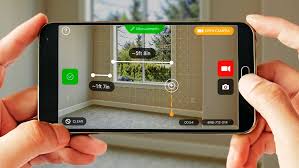
Digital measuring applications utilize several innovative technologies built into modern smartphones. The primary method involves augmented reality (AR), which overlays digital information onto real-world views captured by your camera. When you point your phone at a surface or object, the app uses AR frameworks like ARKit (iOS) or ARCore (Android) to detect planes and calculate spatial relationships.
These apps create virtual reference points by analyzing the environment through your camera lens. The software identifies edges, corners, and surfaces, allowing you to mark starting and ending points for measurements. Advanced motion sensors, including gyroscopes and accelerometers, track your phone’s movement and orientation, ensuring accurate distance calculations even as you move around the space.
Some applications also incorporate laser distance measurement technology through external accessories, though most rely solely on the phone’s built-in hardware. The computational photography capabilities of modern devices enable these apps to achieve surprising accuracy, often within 1-2% of traditional measuring tools for most everyday applications.
🏠 Practical Applications That Simplify Your Life
Digital measuring apps serve countless purposes in both professional and personal contexts. Homeowners frequently use them when shopping for furniture, ensuring that new pieces will fit designated spaces before making purchases. Real estate professionals find these tools invaluable for quickly documenting room dimensions during property showings or preparing listings.
Interior designers and decorators rely on measurement apps to create accurate floor plans and visualize spatial arrangements. The ability to instantly capture dimensions eliminates the need for manual note-taking and reduces errors in project planning. Contractors and construction workers use these apps for quick estimates and preliminary measurements, though they typically verify critical dimensions with traditional tools.
DIY enthusiasts appreciate how easily they can plan home improvement projects. Whether installing shelving, hanging artwork at proper heights, or calculating material quantities for painting, these apps streamline the planning process. Even simple tasks like determining if a delivery box will fit through a doorway become effortless with instant measurement capabilities.
✨ Key Features That Make These Apps Stand Out
Modern measuring applications offer far more than basic distance calculation. Multi-measurement modes allow you to measure horizontal and vertical distances, calculate areas and perimeters, and even determine object heights without reaching the top. Some apps include volume calculation features, particularly useful when moving or shipping items.
Screenshot and annotation capabilities let you save measurements directly on images, creating visual records perfect for reference or sharing with collaborators. Many apps include unit conversion features, seamlessly switching between metric and imperial measurements. History functions track previous measurements, enabling easy reference to past projects or comparisons across multiple spaces.
Advanced apps incorporate floor plan creation tools, transforming individual measurements into comprehensive spatial layouts. Photo editing integration allows you to add measurements to existing images, while some applications even offer 3D modeling capabilities for more complex visualization needs.

🎯 Achieving Accurate Measurements: Tips and Techniques
While digital measuring apps are remarkably sophisticated, proper technique ensures optimal accuracy. Adequate lighting conditions significantly impact measurement precision, as the camera needs clear visibility of surfaces and edges. Well-lit environments enable the app’s algorithms to better detect planes and reference points.
Steady hand movement matters more than speed when capturing measurements. Move your phone slowly and deliberately, allowing the app sufficient time to process visual information and maintain tracking. Calibration procedures, when available within the app, should be completed before critical measurements to optimize accuracy for your specific device.
For the most reliable results, measure from multiple angles and compare readings. This verification approach helps identify any inconsistencies caused by tracking drift or environmental factors. When precision is absolutely critical, such as for construction specifications, consider using digital measurements as preliminary estimates and confirming with traditional measuring tools.
💼 Professional Applications Across Industries
Construction and renovation professionals have integrated measuring apps into their standard toolkits. While not replacing precision instruments for final installations, these apps excel at quick site assessments, preliminary estimates, and client consultations. The ability to instantly generate measurements and share them digitally accelerates project workflows considerably.
Real estate photographers and agents use measurement capabilities when creating property listings. Accurate square footage calculations and room dimensions provide valuable information for potential buyers. Some apps integrate directly with listing platforms, streamlining the documentation process for professional users.
Logistics and moving companies benefit from volume calculation features when assessing shipping requirements or storage needs. Warehouse managers use these tools for space optimization and inventory planning. Even retail businesses employ measurement apps when arranging store layouts or planning merchandising displays.
🆚 Comparing Digital Apps with Traditional Measuring Tools
Traditional tape measures maintain advantages in specific scenarios, particularly where physical contact and absolute precision are required. They need no batteries, work in any lighting condition, and provide tactile feedback that some users prefer. For detailed carpentry work or scientific applications requiring millimeter accuracy, conventional tools remain preferable.
However, digital measuring apps shine in convenience and versatility. They eliminate the need to carry separate tools, work well for measuring distant or hard-to-reach objects, and integrate measurement data directly into digital workflows. The ability to instantly share measurements via messaging or email provides collaborative advantages that physical tools cannot match.
Cost considerations also favor digital apps, as most offer robust free versions or modest one-time purchase prices, whereas quality traditional measuring equipment can represent significant investment. The learning curve for digital apps is generally gentle, with intuitive interfaces that new users master quickly.
🔒 Privacy and Data Security Considerations
When using measuring applications, understanding privacy implications helps protect your personal information. These apps typically request camera and storage access, which are necessary for core functionality. However, reviewing permission settings ensures apps only access data essential for operation.
Reputable measurement apps process calculations locally on your device rather than uploading images to external servers. This approach protects the privacy of your home layout and personal spaces. Before installing any app, reviewing privacy policies clarifies how developers handle user data and whether measurement information is stored or shared.
For professional users documenting client properties, obtaining appropriate permissions before measuring and photographing spaces represents important ethical practice. Some measurement apps offer business-specific privacy features, including secure sharing options and data retention controls.
🚀 Future Developments in Mobile Measuring Technology
Emerging smartphone hardware promises even greater measurement accuracy and capabilities. LiDAR sensors, currently available on premium devices, provide depth mapping precision that dramatically improves measurement reliability. As this technology becomes more widespread across device ranges, digital measuring apps will achieve professional-grade accuracy accessible to mainstream users.
Artificial intelligence integration will enhance object recognition, automatically identifying measurable items and suggesting optimal measurement approaches. Machine learning algorithms will improve calibration processes and compensate for environmental factors that currently affect accuracy.
Cloud integration and collaborative features are expanding, enabling teams to work together on projects with shared measurement data. Integration with design software and smart home platforms will create seamless workflows from measurement through implementation, transforming how we plan and execute spatial projects.
📊 Understanding Measurement Accuracy and Limitations
Digital measuring apps typically achieve accuracy within 1-3% for most consumer applications, which proves sufficient for furniture shopping, room planning, and general estimates. However, several factors influence precision, including device quality, lighting conditions, surface textures, and measurement distance.
Highly reflective surfaces, transparent materials, and featureless walls can challenge the visual recognition systems these apps rely upon. Extremely small measurements (under a few centimeters) or very large distances (over 10 meters) may show increased variance from actual dimensions. Understanding these limitations helps users apply digital measurements appropriately.
Device calibration status significantly impacts results. Phones with damaged cameras, dirty lenses, or miscalibrated sensors will produce less reliable measurements. Regular cleaning of camera lenses and periodic app calibration maintain optimal performance. When working on projects where precision is critical, taking multiple measurements and averaging results improves overall accuracy.
🛠️ Getting Started: Installation and Setup Guide
Beginning your digital measuring journey requires just a few simple steps. First, verify that your smartphone meets the minimum requirements for AR-enabled measuring apps, which typically include recent operating system versions and compatible hardware. Most devices manufactured within the past four years support these applications.
After downloading your chosen app from the Play Store or App Store, initial setup usually involves granting necessary permissions for camera and storage access. Some applications include tutorial sequences that guide you through basic measuring techniques, which are worth completing for optimal understanding.
Perform any recommended calibration procedures before your first important measurement. This process often involves pointing your camera at a flat surface and slowly panning to help the app understand spatial relationships. Testing the app with objects of known dimensions helps you understand its accuracy characteristics and build confidence in the results.
🌟 Maximizing the Value of Your Measuring App
Developing proficiency with digital measuring tools expands their utility across your daily activities. Regularly using the app for various measurement tasks builds muscle memory and improves your technique. Exploring advanced features like area calculation, angle measurement, and photo annotation unlocks capabilities you might initially overlook.
Creating organized measurement records through the app’s history or export features proves invaluable for ongoing projects or future reference. When shopping online, having quick access to room dimensions and furniture measurements prevents costly purchasing mistakes. Home maintenance tasks become more manageable when you can instantly verify sizes for replacement parts or materials.
Sharing measurement information with family members, roommates, or collaborators streamlines group decision-making. Whether coordinating furniture arrangements or planning renovations, having accessible digital measurements keeps everyone aligned on spatial requirements and possibilities.
💡 Creative Uses Beyond Basic Measuring
Innovative users have discovered unexpected applications for measuring apps that extend beyond typical distance calculation. Gardeners use them to plan planting layouts and ensure proper spacing between plants. Pet owners measure spaces for properly sized crates, beds, or play areas. Artists and crafters utilize measurement capabilities when planning projects or creating custom pieces.
Educational applications include helping students visualize mathematical concepts through real-world measurements. Parents use these apps to engage children in practical learning activities that combine technology with spatial reasoning. Fitness enthusiasts measure workout spaces for equipment placement or calculate distances for home exercise routines.
Travelers find measuring apps helpful when assessing luggage dimensions against airline requirements or determining if souvenirs will fit in available packing space. The versatility of these digital tools continually reveals new practical applications as users creatively apply measurement capabilities to diverse situations.
🔧 Troubleshooting Common Measurement Challenges
When measurements seem inaccurate or inconsistent, several troubleshooting approaches typically resolve issues. Ensuring adequate lighting represents the most common solution, as dim conditions impair the camera’s ability to detect surfaces accurately. Adding supplementary lighting or measuring during daytime hours often improves results dramatically.
If the app struggles to establish tracking, moving to an area with more visual features helps. Blank walls or uniform surfaces provide insufficient reference points for the AR system to lock onto. Adding temporary visual markers or measuring near furniture and architectural details enhances tracking stability.
Restarting the app or rebooting your phone clears temporary software issues that may affect performance. Checking for app updates ensures you’re using the latest version with bug fixes and improvements. If problems persist, reinstalling the application or trying alternative measuring apps may identify whether the issue relates to software or device hardware.
🎓 Learning Resources and Community Support
Most popular measuring apps include built-in help sections, video tutorials, and frequently asked questions that address common user needs. These resources provide valuable guidance for mastering advanced features and troubleshooting specific scenarios. Manufacturer websites often host comprehensive support documentation with detailed explanations of measurement techniques.
Online communities, including user forums and social media groups, offer peer support where experienced users share tips and creative applications. Video platforms feature numerous tutorials demonstrating practical measurement scenarios and best practices. Engaging with these communities accelerates your learning and exposes you to innovative uses you might not discover independently.
Professional organizations in fields like construction, real estate, and interior design increasingly include digital measuring tools in their training programs. These educational initiatives recognize the growing importance of mobile technology in traditional industries and help practitioners integrate these tools effectively into professional workflows.
🌐 Accessibility Features and Inclusive Design
Modern measuring apps increasingly incorporate accessibility features that make them usable for people with diverse abilities. Voice guidance options provide audio feedback about measurement status and results, assisting users with visual impairments. High-contrast display modes and adjustable text sizes accommodate various vision needs.
Haptic feedback confirms when measurement points are successfully placed, providing tactile confirmation beyond visual indicators. Simplified measurement modes reduce interface complexity for users who find standard layouts overwhelming. These inclusive design considerations expand the potential user base and demonstrate the measurement app developers’ commitment to universal accessibility.
Language support across multiple languages makes these tools globally accessible, removing barriers for non-English speakers. Culturally appropriate unit systems and measurement conventions ensure relevance across different regions and user preferences. As accessibility awareness grows, expect continuous improvements in inclusive features across measurement applications.
Digital tape measure apps represent a significant evolution in how we interact with physical spaces, combining convenience with surprising accuracy. As smartphone technology advances and these applications mature, they’re becoming indispensable tools for both everyday tasks and professional applications. Whether you’re furnishing a new home, planning a renovation, or simply curious about dimensions, having a powerful measuring tool always accessible in your pocket transforms how you approach spatial challenges. The future of measurement is undoubtedly digital, and it’s available right now in the palm of your hand. 📏
