
Anúncios
Imagine controlling your home, managing tasks, and enjoying your favorite music just by speaking. That’s the power of Alexa — Amazon’s intelligent voice assistant designed to make your life easier and more entertaining. 🎵


Whether you’re cooking, working from home, or simply relaxing, Alexa becomes your personal assistant that responds instantly to your voice commands. From setting timers and reminders to playing your favorite playlist on Spotify, Apple Music, or Amazon Music, everything happens seamlessly with just your voice.
The beauty of Alexa lies in its simplicity and versatility. You don’t need to stop what you’re doing, unlock your phone, or navigate through multiple apps. Just say “Alexa,” followed by your request, and she handles the rest. This hands-free convenience transforms how you interact with technology throughout your day.
🎧 Transform Your Music Experience with Voice Commands
Music lovers rejoice because Alexa turns your space into a personal concert hall controlled entirely by your voice. Simply say “Alexa, play my favorite songs” or “Alexa, play relaxing music,” and she instantly starts streaming tracks tailored to your preferences.
The integration with major music streaming platforms means you have access to millions of songs across genres. Whether you’re into jazz, rock, classical, or the latest pop hits, Alexa understands natural language requests like “play upbeat workout music” or “play songs from the 90s.”
Creating the perfect ambiance has never been easier. Hosting a dinner party? Ask Alexa to play soft background music. Need motivation during your morning routine? Request energizing tracks to start your day right. The possibilities are endless, and the control is entirely hands-free.
Music Streaming Services That Work Seamlessly with Alexa
Alexa supports numerous music platforms, giving you flexibility in how you access your audio content. Here are the major services compatible with your voice assistant:
- Amazon Music: Native integration with millions of songs, playlists, and stations
- Spotify: Connect your account and control playback with voice commands
- Apple Music: Full access to your library and Apple’s extensive catalog
- Deezer: International music streaming with personalized recommendations
- Pandora: Radio-style streaming based on your favorite artists and genres
- TuneIn: Live radio stations and podcasts from around the world
🏠 Master Your Daily Tasks with Simple Voice Commands
Beyond entertainment, Alexa becomes an indispensable tool for managing your daily responsibilities. From the moment you wake up until you settle down for the evening, your voice assistant helps streamline countless tasks that would otherwise require manual effort.
Setting reminders becomes effortless. “Alexa, remind me to call mom at 3 PM” or “Alexa, remind me about the doctor’s appointment tomorrow” ensures you never miss important commitments. These reminders sync across your devices, providing notifications when you need them most.
Managing your schedule is equally simple. Ask Alexa to add events to your calendar, check your daily agenda, or tell you what meetings you have coming up. This integration with calendar apps keeps you organized without touching your phone or computer.
Practical Task Management Features
Shopping lists become collaborative and accessible. Say “Alexa, add milk to my shopping list,” and the item appears instantly in your Alexa app. Family members can add items throughout the week, and you’ll have a complete list ready when you head to the store.
Timer and alarm functions prove invaluable in the kitchen and beyond. “Alexa, set a timer for 20 minutes” helps you cook pasta perfectly, while “Alexa, set an alarm for 6 AM” ensures you wake up on time. You can set multiple timers simultaneously, each with custom names for easy identification.

💡 Create a Smart Home Environment That Responds to Your Voice
Alexa serves as the central hub for your smart home ecosystem, connecting various devices and allowing you to control them through simple voice commands. This integration transforms your living space into an intelligent environment that adapts to your needs.
Control your lighting without leaving your comfortable spot on the couch. “Alexa, dim the living room lights” or “Alexa, turn off the bedroom lights” provides instant control over your home’s ambiance. Compatible smart bulbs respond immediately, creating the perfect atmosphere for any occasion.
Temperature management becomes effortless with smart thermostats. “Alexa, set the temperature to 72 degrees” adjusts your home’s climate without touching a control panel. You can even create routines that automatically adjust temperature based on time of day or your location.
Compatible Smart Home Devices
The Alexa ecosystem supports thousands of smart devices from hundreds of manufacturers. Here’s a snapshot of popular categories:
- Smart Lights: Philips Hue, LIFX, TP-Link, Wyze bulbs and switches
- Smart Plugs: Transform any device into a voice-controlled appliance
- Smart Locks: August, Yale, and Schlage for voice-activated security
- Thermostats: Ecobee, Nest, and Honeywell for climate control
- Security Cameras: Ring, Arlo, and Blink for home monitoring
- Smart Displays: Echo Show devices with visual interfaces
📱 Getting Started: Setting Up Your Alexa Experience
Beginning your journey with Alexa requires minimal effort and technical knowledge. The setup process is designed to be intuitive, guiding you through each step with clear instructions.
First, download the Amazon Alexa app from the Play Store or App Store using the links provided earlier. The app serves as your command center for managing devices, customizing settings, and exploring new features.
After installing the app, create or sign in to your Amazon account. This connection enables Alexa to access your preferences, shopping lists, and connected services. The app will then search for available Alexa devices on your network.
Connecting Your First Alexa Device
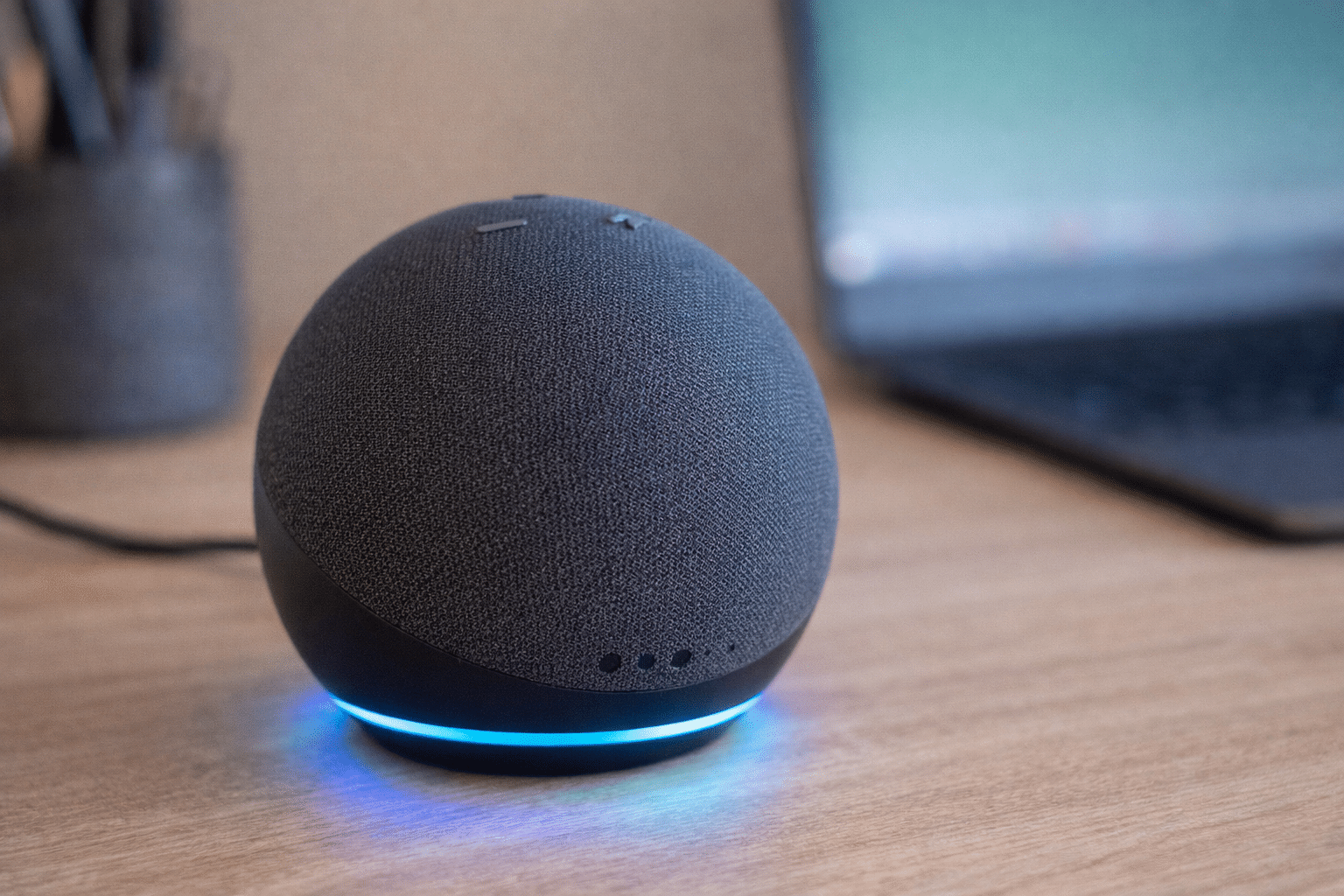
If you have an Echo device, plug it in and wait for the blue light ring to turn orange, indicating setup mode. The app will detect the device and walk you through connecting it to your Wi-Fi network. Once connected, Alexa will greet you and confirm she’s ready to help.
Without a physical Echo device, you can still use Alexa through the mobile app. Enable the hands-free feature in settings, allowing you to activate Alexa by saying her wake word, just like with Echo speakers.
🎯 Advanced Commands That Maximize Your Productivity
As you become comfortable with basic commands, exploring advanced features unlocks Alexa’s full potential. These capabilities transform her from a simple assistant into a comprehensive productivity tool.
Multi-step routines automate complex sequences with a single command. Create a “Good Morning” routine that gradually increases light brightness, reads your calendar, provides weather updates, and starts your coffee maker — all triggered by saying “Alexa, good morning.”
Skills expand Alexa’s abilities exponentially. Think of skills as apps for your voice assistant. Browse thousands of options in categories like productivity, health and fitness, news, games, and lifestyle. Enable skills that match your interests and needs.
Communication Features That Keep You Connected
Alexa enables hands-free calling and messaging to anyone in your contacts who has the Alexa app or an Echo device. “Alexa, call Dad” initiates a voice call, while “Alexa, send a message to Sarah” lets you dictate a text message.
The Drop In feature allows approved contacts to connect instantly with your Echo devices, perfect for checking in on elderly family members or communicating between rooms in your home. You control who has this permission through your app settings.
Announcements broadcast messages to all Echo devices in your home simultaneously. “Alexa, announce dinner is ready” sends your voice to every connected speaker, ensuring everyone hears important messages.
🔊 Optimizing Audio Quality for the Best Music Experience
Getting the most from your music requires understanding how to optimize Alexa’s audio settings and placement. Proper configuration ensures rich, clear sound that fills your space effectively.
Echo device placement significantly impacts sound quality. Position speakers away from walls and corners to reduce bass distortion. For Echo Studio and similar high-end devices, room calibration features automatically adjust audio output based on your space’s acoustics.
Stereo pairing creates an immersive listening experience. If you have two identical Echo devices, pair them through the app to create left and right channels. This setup dramatically enhances music playback, providing spatial separation and fuller sound.
Equalizer Settings and Audio Preferences
Access equalizer controls through the Alexa app to fine-tune bass, midrange, and treble levels. These adjustments help compensate for room characteristics or match your personal listening preferences.
Multi-room music brings synchronized audio throughout your home. Create groups of Echo devices and play the same music simultaneously across different rooms. Host parties with seamless audio that follows guests wherever they go.
🛡️ Privacy Controls and Security Features
Understanding how Alexa handles your information empowers you to use the assistant confidently. Amazon provides comprehensive privacy controls that put you in charge of your data.
The mute button on Echo devices physically disconnects the microphones, providing complete assurance that Alexa isn’t listening. A red light indicator confirms when microphones are disabled, giving you visual confirmation of privacy mode.
Voice recording management allows you to review and delete your interaction history. Access these recordings through the app’s privacy settings, where you can delete individual recordings or set automatic deletion schedules.
Managing Your Alexa Privacy Settings
Disable personalized ads based on voice interactions through the privacy settings menu. This prevents Amazon from using your voice requests to inform advertising across their platforms.
Voice profile recognition lets Alexa distinguish between household members, providing personalized responses while maintaining individual privacy. Each person’s requests and preferences remain separate, accessible only through their voice profile.
🌟 Creative Ways to Use Alexa Throughout Your Day
Beyond standard functions, creative applications make Alexa an entertaining and educational companion. These innovative uses demonstrate the assistant’s versatility in enhancing daily life.
Language learning becomes interactive with translation skills and language practice routines. “Alexa, how do you say ‘good morning’ in Spanish?” provides instant translations, while dedicated language skills offer structured lessons.
Meditation and relaxation features help manage stress. Request guided meditations, ambient nature sounds, or breathing exercises. These wellness skills transform Alexa into a personal mindfulness coach available whenever you need calm.
Entertainment Beyond Music
Audiobooks from Audible integrate seamlessly with Alexa. “Alexa, read my book” resumes your current audiobook, while voice commands let you skip chapters, adjust narration speed, or set sleep timers.
Podcasts offer endless entertainment and education. Subscribe to your favorite shows through the Alexa app, then request new episodes by saying “Alexa, play the latest episode of [podcast name].” Playback syncs across devices, letting you continue listening wherever you are.
Games and trivia provide family-friendly entertainment. Question-of-the-day features, interactive story games, and multiplayer trivia competitions turn Alexa into a game console controlled entirely by voice.
🔧 Troubleshooting Common Alexa Issues
Even the most reliable technology occasionally needs troubleshooting. Understanding common issues and their solutions ensures minimal disruption to your Alexa experience.
Connection problems typically resolve with simple steps. If Alexa stops responding, check your Wi-Fi connection first. Restart your router and Echo device by unplugging them for 30 seconds, then reconnecting power.
Voice recognition difficulties often stem from background noise or unclear pronunciation. Speak naturally but clearly, and ensure the device isn’t placed near noisy appliances or speakers that might interfere with microphone pickup.
Keeping Your Alexa Experience Running Smoothly
Regular software updates ensure optimal performance and access to new features. Echo devices update automatically, but you can manually check for updates through the app if you suspect your device isn’t current.
Forgotten commands or capabilities rediscovered through the app’s “Things to Try” section. This feature suggests relevant commands based on your enabled skills and connected devices, helping you maximize Alexa’s utility.
🚀 The Future of Voice Assistance with Alexa
Amazon continuously evolves Alexa’s capabilities, introducing features that push the boundaries of voice technology. Staying informed about upcoming improvements helps you anticipate new ways to enhance your experience.
Contextual understanding improvements make conversations more natural. Alexa increasingly recognizes follow-up questions without repeating the wake word, creating fluid interactions that feel more like speaking with a human assistant.
Integration with additional services expands constantly. New partnerships bring more music providers, smart home brands, and third-party skills into the Alexa ecosystem, ensuring your assistant remains relevant as technology advances.
Voice profile sophistication continues developing, enabling Alexa to better understand individual preferences, speech patterns, and usage habits. This personalization makes responses more accurate and recommendations more relevant to each household member.
✨ Making Alexa an Integral Part of Your Lifestyle
The true power of Alexa emerges when you integrate her capabilities into your daily routines seamlessly. Rather than treating the assistant as a novelty, view her as a productivity enhancer and quality-of-life improvement.
Start small by incorporating one or two voice commands into your morning routine. As these become habitual, gradually expand your usage to other times of day and additional functions. This organic adoption ensures you discover features that genuinely add value to your life.
Experiment with different skills and features to find what resonates with your lifestyle. Not every capability will suit your needs, but exploring options helps you uncover hidden gems that perfectly match your preferences and habits.
Share your Alexa setup with family members or roommates, teaching them useful commands and encouraging everyone to contribute ideas for smart home automation and helpful routines. Collaborative usage multiplies the benefits and creates a truly smart living environment.
Remember that Alexa continuously learns and improves. Features that seem limited today may expand tomorrow, and new capabilities regularly appear through software updates. Staying curious and checking for new features ensures you’re always getting the most from your voice assistant.
Whether you’re listening to your favorite songs while cooking dinner, managing your busy schedule hands-free, or controlling your entire home with simple voice commands, Alexa transforms how you interact with technology. The future of assistance is here, and it responds when you simply say her name. 🎵✨
