
Meet Alexa, Amazon’s intelligent voice assistant ready to help you anytime, anywhere. Just say her name and watch your daily tasks become effortlessly simple. 🎙️


Imagine waking up in the morning and simply asking someone to turn on the lights, read the news, play your favorite music, or even start brewing your coffee. No buttons to press, no apps to open—just your voice and a friendly assistant ready to respond. This is the reality that millions of people around the world experience every day with Alexa.
Since her launch, Alexa has transformed how we interact with technology in our homes and beyond. She’s more than just a gadget; she’s become a companion that learns your preferences, anticipates your needs, and integrates seamlessly into your lifestyle. Whether you’re cooking, working, relaxing, or rushing out the door, Alexa is there—always listening, always ready.
🏠 What Exactly Is Alexa and How Does She Work?
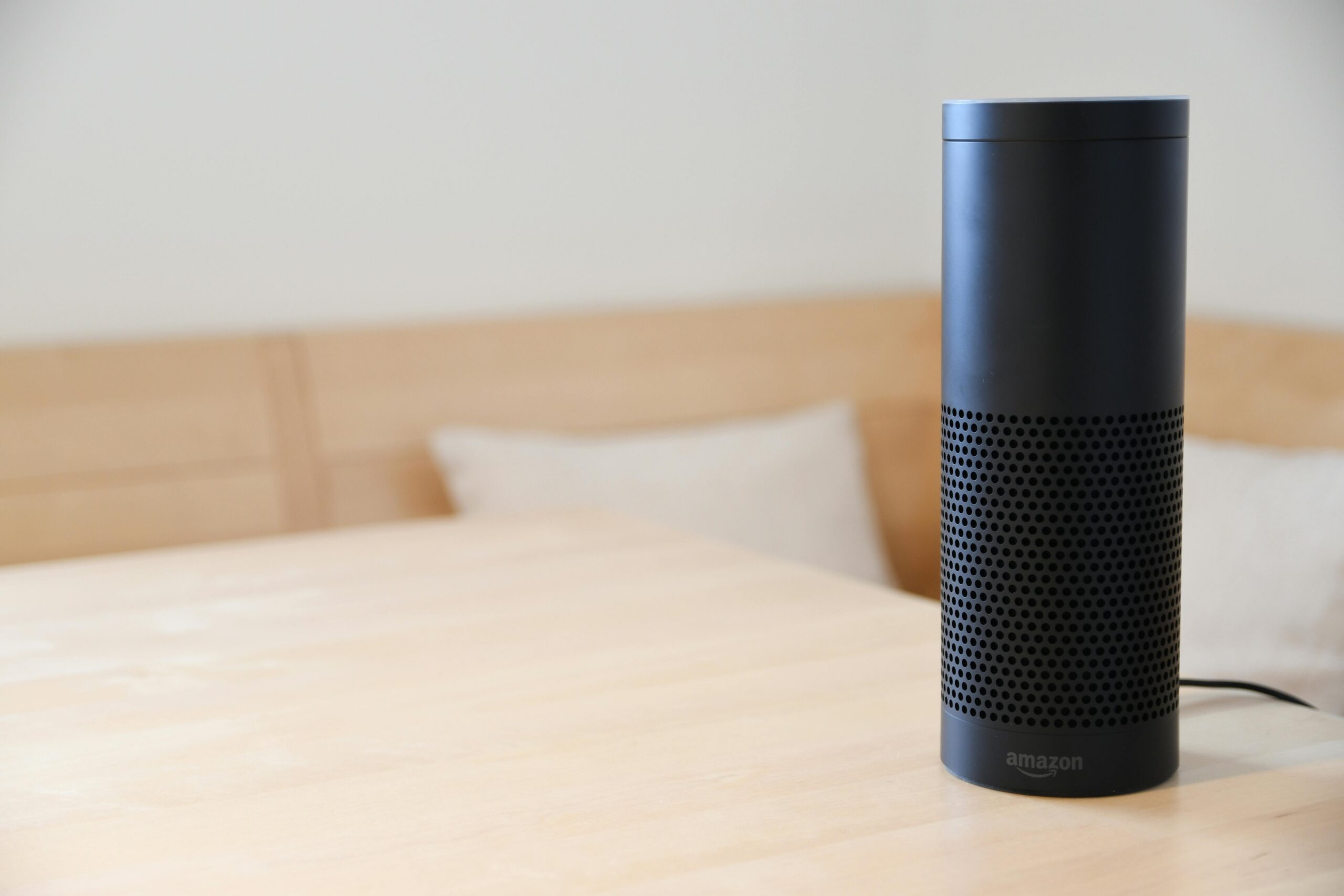
Alexa is Amazon’s cloud-based voice service that powers a range of devices, most famously the Amazon Echo smart speakers. But she’s not limited to just one type of hardware. You can find Alexa in smart displays, soundbars, earbuds, cars, and even third-party devices like thermostats and light bulbs.
When you say “Alexa,” the device wakes up and starts listening for your command. Your voice is then sent to Amazon’s servers, where advanced artificial intelligence and natural language processing interpret what you’re asking. Within seconds, Alexa responds—whether it’s playing a song, answering a question, or controlling your smart home devices.
The beauty of Alexa lies in her simplicity. You don’t need to learn complicated commands or navigate through menus. Just speak naturally, and she’ll understand. Over time, she even learns your speech patterns and preferences, making interactions smoother and more personalized.
✨ Everyday Tasks Made Incredibly Easy
One of Alexa’s greatest strengths is her ability to handle a wide variety of everyday tasks with minimal effort from you. Let’s explore some of the most popular ways people use Alexa in their daily lives.
🎵 Music and Entertainment On Demand
Music lovers rejoice! Alexa integrates with major streaming services like Amazon Music, Spotify, Apple Music, and Pandora. Simply ask her to play a specific song, artist, genre, or playlist, and the music starts instantly. You can also ask her to skip tracks, adjust volume, or create custom playlists based on your mood.
Beyond music, Alexa can play podcasts, audiobooks from Audible, and even radio stations from around the world. She’s your personal DJ, always ready to set the perfect soundtrack for any moment.
⏰ Smart Alarms and Timers
Setting alarms and timers has never been easier. Whether you need to wake up at a specific time, remember to take medication, or time your cooking, just ask Alexa. You can set multiple timers simultaneously—perfect when you’re juggling several dishes in the kitchen.
What’s more, Alexa can wake you up with your favorite music or a gentle alarm sound, making mornings a bit more pleasant. You can also create recurring alarms for daily routines without needing to set them manually each time.
📰 Stay Informed With News and Weather
Start your day informed by asking Alexa for the latest news headlines, weather forecast, or traffic updates. She can pull information from trusted news sources and customize your daily briefing based on your interests.
Whether you want sports scores, stock market updates, or breaking news, Alexa delivers the information you need in a conversational format. No need to scroll through websites or apps—just ask and listen.
🛒 Shopping Made Hands-Free
As an Amazon product, Alexa naturally integrates with your Amazon account for voice shopping. You can add items to your cart, reorder products you’ve purchased before, and track packages—all without touching your phone or computer.
She can also help you create and manage shopping lists, which sync across your devices. As you think of items throughout the day, simply tell Alexa to add them to your list, and they’ll be there when you head to the store.
🏡 Transform Your Home Into a Smart Home
Perhaps Alexa’s most impressive capability is controlling smart home devices. With compatible products, you can control lights, thermostats, locks, cameras, and more using just your voice.
Imagine arriving home with your hands full of groceries. Instead of fumbling for keys and light switches, you simply say, “Alexa, I’m home,” and she unlocks the door, turns on the lights, and adjusts the thermostat to your preferred temperature. This level of automation isn’t science fiction—it’s available right now.
💡 Lighting Control
Smart bulbs from brands like Philips Hue, LIFX, and TP-Link work seamlessly with Alexa. You can turn lights on or off, dim them, change colors, and create lighting scenes for different activities. Movie night? “Alexa, dim the living room lights.” Time to wake up? “Alexa, turn on the bedroom lights gradually.”
🌡️ Climate Control
Compatible smart thermostats like Nest and Ecobee allow you to adjust your home’s temperature without leaving the couch. “Alexa, set the thermostat to 72 degrees,” and it’s done. You can also create routines that adjust temperature based on time of day or your presence in the home.
🔒 Security and Monitoring
Alexa works with smart locks, video doorbells, and security cameras, giving you voice control over your home’s security. Check who’s at the door, lock or unlock doors remotely, and even view camera feeds on Alexa-enabled displays.

🎯 Skills That Expand Alexa’s Capabilities
One of Alexa’s most powerful features is her vast library of “Skills”—essentially apps that add new capabilities. There are tens of thousands of Skills available, covering everything from games and trivia to meditation and language learning.
Want to practice Spanish? Enable a language learning Skill. Need help falling asleep? Try a meditation or ambient sound Skill. You can even order pizza, request an Uber, or play interactive story games—all through voice commands.
Developers continuously create new Skills, meaning Alexa’s capabilities are always expanding. You can browse and enable Skills through the Alexa app, customizing your assistant to match your specific needs and interests.
👨👩👧👦 Alexa for the Whole Family
Alexa isn’t just for tech enthusiasts—she’s designed to be accessible and useful for everyone in the family, from kids to grandparents.
📚 Educational Tools for Kids
Children can use Alexa to help with homework, learn new facts, practice spelling and math, or listen to kid-friendly stories and music. Amazon offers special parental controls and kid-focused devices like the Echo Dot Kids Edition, which include age-appropriate content and educational features.
🧓 Assistance for Seniors
For older adults, especially those with mobility challenges, Alexa can be life-changing. Voice control eliminates the need to physically interact with devices, making it easier to make phone calls, set medication reminders, or call for help in emergencies.
The “Alexa Together” service offers additional features specifically designed for elder care, including fall detection alerts and remote assistance capabilities for family caregivers.
👥 Multiple User Profiles
Alexa can recognize different voices and provide personalized responses based on who’s speaking. Each family member can have their own profile with customized music preferences, shopping lists, calendars, and more. This makes shared devices feel personal to everyone who uses them.
📱 The Alexa App: Your Command Center
While voice interaction is Alexa’s primary interface, the Alexa mobile app serves as your visual command center. Available for both iOS and Android, the app lets you set up devices, manage settings, browse Skills, view your shopping lists, and much more.
Through the app, you can create routines—automated sequences of actions triggered by a single command or schedule. For example, your “Good Morning” routine might turn on lights, read the weather, start your coffee maker, and play the news—all happening when you say “Alexa, good morning.”
The app also provides visual feedback for certain interactions, like displaying lyrics when playing music or showing step-by-step recipes when you’re cooking. It’s where you manage your smart home devices, adjust privacy settings, and review your interaction history.
🔐 Privacy and Security Considerations
With any voice-activated device, privacy is a valid concern. Amazon has implemented several features to give users control over their data and how Alexa operates.
You can mute the microphone on any Alexa device with a physical button, ensuring she’s not listening when you want privacy. The Alexa app lets you review and delete your voice recordings, either individually or in bulk. You can also set recordings to automatically delete after a certain period.
Amazon states that Alexa only sends audio to the cloud after hearing the wake word (“Alexa,” “Amazon,” “Echo,” or “Computer”). The device has visual and audio indicators when actively listening and processing requests, providing transparency about when data is being transmitted.
While no system is perfect, Amazon continues to update privacy features and provide users with more control over their information. Understanding these tools and customizing your settings helps ensure you’re comfortable with how your data is handled.
🌍 Alexa Beyond the Home
Alexa’s reach extends far beyond smart speakers in your living room. She’s increasingly available in cars, hotels, offices, and even on the go through mobile devices and wearables.
🚗 Alexa in Your Vehicle
Many new vehicles come with built-in Alexa integration, allowing you to make calls, navigate, play music, and control smart home devices while driving—all hands-free and eyes-free for safety. You can also use the Echo Auto device to add Alexa to older vehicles.
🏨 Hospitality and Business
Hotels and businesses are adopting Alexa to enhance guest experiences. Hotel guests can use Alexa-enabled devices in their rooms to control lighting, request services, get local recommendations, and more. Businesses use Alexa for conferencing, scheduling, and workplace productivity.
📱 Alexa on Mobile
The Alexa app itself functions as a portable assistant, letting you access Alexa’s capabilities directly from your smartphone without needing a separate device. Amazon has also integrated Alexa into various wearable devices, including earbuds and smartwatches.
🚀 The Future of Voice Assistance
As artificial intelligence continues to advance, so does Alexa’s sophistication. Amazon regularly updates Alexa’s capabilities, making her more conversational, context-aware, and helpful.
Future developments include improved natural language understanding, better conversation flow without needing to repeat the wake word, more proactive assistance (Alexa suggesting actions before you ask), and deeper integration with more services and devices.
The vision is clear: a truly ambient computing experience where technology fades into the background and serves you naturally, anticipating needs and simplifying life without requiring your constant attention or interaction.
💡 Getting Started With Alexa Today
Ready to bring Alexa into your life? Getting started is surprisingly simple. You’ll need an Alexa-enabled device—popular options include the Echo Dot (compact and affordable), Echo (full-sized speaker with better sound), Echo Show (with a screen for visual feedback), or Echo Studio (premium audio quality).
Once you have a device, plug it in, download the Alexa app on your smartphone, and follow the setup instructions. Within minutes, you’ll be asking Alexa questions, playing music, and exploring what she can do.
Start with simple commands to get comfortable: ask about the weather, set timers, play music, or ask trivia questions. As you become more familiar, explore routines, Skills, and smart home integration to unlock Alexa’s full potential.
🎁 Why Alexa Stands Out Among Voice Assistants
While several voice assistants exist, Alexa has distinguished herself through extensive smart home compatibility, a vast Skills ecosystem, competitive pricing on hardware, and continuous innovation from Amazon.
The breadth of compatible devices means you’re not locked into a single manufacturer’s ecosystem. Alexa works with thousands of brands, giving you freedom of choice when building your smart home. The active developer community ensures new Skills and capabilities are constantly being added, keeping the platform fresh and relevant.
Amazon’s commitment to accessibility and affordability means Alexa devices are available at various price points, making voice assistance accessible to more people. Regular sales and promotions often make entry-level devices remarkably affordable.
🌟 Real Stories From Real Users
People around the world have embraced Alexa in creative and meaningful ways. Parents use her to create calming bedtime routines for children. People with disabilities have found new independence through voice-controlled environments. Busy professionals streamline their mornings with automated routines that save precious minutes.
For some, Alexa is simply a convenience—a faster way to check the weather or play music. For others, she’s become an essential part of daily life, managing schedules, controlling entire smart homes, and even providing companionship for those who live alone.
The versatility means each person’s relationship with Alexa is unique, shaped by individual needs, preferences, and lifestyle. There’s no single “right” way to use her—she adapts to you.
🔧 Troubleshooting and Getting Help
Like any technology, you might occasionally encounter issues with Alexa. Common problems—like connectivity issues, unresponsiveness, or misunderstanding commands—usually have simple solutions.
The Alexa app includes helpful troubleshooting guides and FAQs. Amazon’s support website offers detailed articles addressing specific issues. You can also ask Alexa herself for help with certain functions: “Alexa, help” provides context-specific assistance.
Most issues can be resolved by checking your internet connection, ensuring your device software is updated, or simply restarting the device. For persistent problems, Amazon’s customer support is available to assist.
💬 Your Voice, Your Choice
Alexa represents more than just technological advancement—she embodies a fundamental shift in how we interact with the digital world. Voice is our most natural form of communication, and Alexa makes technology feel less like a tool you use and more like a helpful presence that understands you.
Whether you’re looking to simplify daily tasks, create a more comfortable home environment, stay connected with loved ones, or simply explore what’s possible with voice technology, Alexa offers an accessible entry point into this new paradigm.
The best part? You don’t need to be tech-savvy to benefit. Just say “Alexa,” and discover how a voice assistant can enhance your everyday life. She’s always ready, always listening, and always there to help—whenever you need her. 🎤✨
