
Is your phone constantly running out of space, freezing, or slowing down? It’s time to take control and free up that precious storage once and for all.


We’ve all been there: trying to capture a perfect moment, only to see that dreaded notification pop up saying “Storage Full.” Your device starts lagging, apps refuse to update, and simple tasks become frustratingly slow. The good news? You don’t need to rush out and buy a new phone or expensive cloud storage plans.
With a few smart strategies and the right tools, you can dramatically improve your phone’s performance and reclaim gigabytes of wasted space. Let’s explore exactly how to clean, optimize, and maintain your device for peak performance.
📱 Why Your Phone Storage Fills Up So Quickly
Understanding the root causes of storage bloat is the first step toward solving the problem. Modern smartphones accumulate digital clutter faster than you might realize, and it’s not always obvious where all that space is going.
Apps are the primary culprits. Each time you use an app, it creates cache files, temporary data, and various background files that pile up over time. Social media apps like Facebook, Instagram, and TikTok are particularly notorious for storing massive amounts of cached images and videos.
Photos and videos naturally consume significant space, especially with today’s high-resolution cameras. A single 4K video can easily eat up several hundred megabytes, and most people rarely organize or delete their media libraries.
Downloaded files, documents, and redundant backups also contribute to the problem. Many users download files multiple times without realizing duplicates exist, or forget about old PDFs and presentations saved months ago.
🧹 The Immediate Impact of a Cluttered Phone
A phone struggling with limited storage doesn’t just prevent you from taking new photos. The consequences ripple through every aspect of your device’s functionality and your daily experience.
Performance degradation is one of the most noticeable effects. When storage space drops below 10-15%, your operating system struggles to manage temporary files efficiently, leading to slower app launches, choppy scrolling, and frequent freezes.
Battery life takes a hit as well. Apps working harder to access fragmented data drain more power, and constant background processes trying to free up space consume additional energy throughout the day.
System updates become impossible to install when there’s insufficient space. This creates a security risk, as you miss critical patches and vulnerability fixes that protect your personal information.
App functionality becomes compromised. Many applications require temporary space to operate properly, and when that’s unavailable, they crash unexpectedly or refuse to save your work.
🔍 Identifying What’s Eating Your Storage
Before you start deleting files randomly, it’s essential to understand exactly where your storage is going. Both Android and iOS provide built-in tools to analyze storage usage comprehensively.
On Android devices, navigate to Settings > Storage to see a breakdown by category. You’ll typically find sections for apps, images, videos, audio, documents, and system files. Tap any category to drill down into specific items consuming the most space.
iPhone users should go to Settings > General > iPhone Storage. iOS provides excellent recommendations for optimizing storage, including options to offload unused apps automatically and review large attachments in Messages.
Pay special attention to these storage hogs:
- Streaming apps: Netflix, Spotify, and YouTube often cache substantial amounts of content for offline viewing
- Messaging apps: WhatsApp, Telegram, and similar platforms store every photo, video, and voice note shared in conversations
- Gaming apps: Mobile games frequently download additional content after installation, sometimes reaching several gigabytes
- Photo editors: Apps like Snapseed and Lightroom create duplicate copies and store edit histories
💡 Quick Wins: Easy Ways to Free Up Space Right Now
Some storage-saving techniques deliver immediate results with minimal effort. Start with these quick wins before diving into more comprehensive cleaning strategies.
Clear your browser cache and history. Whether you use Chrome, Safari, Firefox, or another browser, cached web data accumulates rapidly. This process takes less than a minute and can free up several hundred megabytes.
Delete old text message threads, especially those containing photos and videos. Long conversations with media attachments can surprisingly consume gigabytes of space over time.
Remove unused apps completely rather than just closing them. Check your app list for tools you downloaded once and never opened again, or games you haven’t played in months.
Empty your “Recently Deleted” folders. Both Photos apps and file managers maintain trash folders that continue occupying space until permanently emptied. Don’t forget this crucial final step.
Review and delete duplicate photos immediately. Most of us take multiple shots of the same scene; keeping all versions is unnecessary. Select the best one and delete the rest without hesitation.

🗂️ Mastering Photo and Video Management
Media files represent the largest storage category for most smartphone users. Developing smart habits for managing photos and videos prevents storage problems before they start.
Enable cloud backup services like Google Photos, iCloud Photos, or OneDrive. These platforms offer automatic uploads and the ability to remove local copies while maintaining access through the cloud. Many provide free storage tiers sufficient for moderate users.
Adjust your camera settings to balance quality with file size. Unless you’re a professional photographer, shooting in slightly lower resolution or using efficient formats like HEIF/HEIC can reduce file sizes by 50% without noticeable quality loss.
Regularly transfer important photos to your computer or external storage. Don’t rely solely on your phone as your primary photo archive. Schedule monthly transfers to keep your device lean.
Use the “Optimize Storage” feature if available. iPhones offer this option to automatically replace full-resolution photos with smaller versions while storing originals in iCloud. Similar features exist in Google Photos for Android users.
Be ruthless with screenshots. Many people accumulate hundreds of screenshots they’ll never reference again. Review and delete them quarterly at minimum.
🚀 App Cache and Data: The Hidden Storage Killer
Application cache serves a legitimate purpose—speeding up loading times by storing frequently accessed data locally. However, this cache grows unchecked in many apps, eventually consuming enormous amounts of space unnecessarily.
On Android, you can clear cache for individual apps through Settings > Apps > [App Name] > Storage > Clear Cache. This action doesn’t delete your login credentials or personal data, only temporary files the app can rebuild as needed.
iOS manages cache more automatically, but some apps still benefit from manual clearing. Often, the only way to truly clear cache on iPhone is deleting and reinstalling the app, which removes all temporary files but requires you to log back in.
Social media applications deserve special attention. Instagram, Facebook, and Snapchat are notorious cache accumulators:
- Instagram: Can easily reach 2-3GB of cache from stored Stories, Reels, and profile pictures
- Facebook: Often exceeds 1GB just from cached news feed content and videos
- Snapchat: Stores Memories, Lenses, and temporary Snap data that builds up quickly
- TikTok: Caches videos aggressively for smooth scrolling, sometimes reaching 4-5GB
Music streaming apps like Spotify and Apple Music allow downloaded content for offline listening. Periodically review your downloads and remove playlists or albums you no longer listen to regularly.
📥 Managing Downloads and Documents
Your Downloads folder is likely filled with forgotten files—PDFs you opened once, images saved from websites, documents sent via email, and installation files that served their purpose long ago.
Sort your Downloads folder by size to identify the largest files first. Often, you’ll discover multi-megabyte PDFs or zip archives you completely forgot about. Review and delete anything older than three months unless absolutely necessary.
Check for duplicate files using dedicated apps or manual inspection. Sometimes downloads fail partially and retry, creating multiple copies of the same file with slightly different names.
Move important documents to cloud storage services like Google Drive, Dropbox, or iCloud Drive. These platforms offer better organization tools than your phone’s basic file system and free up local storage while keeping files accessible.
Uninstall or delete old APK files if you’re on Android. These installation packages serve no purpose once the app is installed and can be substantial in size, especially for games and graphics-intensive applications.
🛠️ Leveraging Storage Cleaning Apps Effectively
While manual cleaning is important, specialized storage management apps can automate many tedious tasks and identify issues you might overlook. The right tool makes maintenance significantly easier.
Quality cleaning apps offer several advantages over manual methods. They scan your entire device systematically, categorizing files by type and size. They identify duplicate photos, similar images, blurry shots, and large files that might be forgotten in obscure folders.
Look for apps with these essential features:
- Duplicate detection: Automatically finds identical files across your device
- Large file identification: Quickly surfaces the biggest storage consumers
- App cache analysis: Shows which apps are storing excessive temporary data
- Smart recommendations: Suggests specific files and categories safe to delete
- One-tap cleaning: Allows bulk deletion of unnecessary files with a single action
Avoid apps that make exaggerated claims about “boosting speed by 300%” or “freeing up RAM.” These are often scams or poorly designed apps that do more harm than good. Stick with reputable developers with positive reviews and transparent functionality.
☁️ Smart Cloud Storage Strategies
Cloud storage isn’t just about backup—it’s a powerful tool for extending your phone’s effective capacity. Using cloud services strategically can virtually eliminate storage concerns entirely.
Most major platforms offer free tiers: Google provides 15GB across Gmail, Drive, and Photos; iCloud gives 5GB to Apple users; Dropbox starts with 2GB; and OneDrive offers 5GB. By using multiple services for different purposes, you can access substantial free storage.
Configure automatic uploads for photos and videos. This ensures new media is backed up immediately and allows you to remove local copies confidently. Set uploads to occur only over WiFi to avoid consuming mobile data.
Store large files exclusively in the cloud. There’s no reason to keep that 200-page manual or multi-gigabyte video project on your phone. Access them through cloud apps when needed, keeping your device storage clear.
Use cloud-native apps when possible. Services like Google Docs, Microsoft Office Online, and Notion store documents entirely online, only downloading small amounts of data for offline access when explicitly requested.
⚡ Preventing Future Storage Problems
Once you’ve cleaned up your device, maintaining that clean state is far easier than repeatedly going through major purges. Developing simple habits prevents storage from becoming problematic again.
Schedule monthly maintenance sessions. Set a recurring calendar reminder to spend 15 minutes reviewing your storage, deleting unnecessary files, and clearing app caches. This small investment prevents major headaches later.
Think twice before downloading. Before installing a new app or saving a file, ask yourself whether you truly need it locally or if a web-based alternative exists. This mindfulness prevents accumulation from the start.
Uninstall apps immediately when you’re done with them. If you download a specific tool for a one-time task, remove it as soon as you’ve finished. Don’t let “temporary” apps become permanent residents.
Configure apps to minimize local storage usage. Many applications offer settings to limit cache size, prevent automatic media downloads, or use lower-quality versions for previews.
Regularly review and curate your photo library. Don’t let thousands of photos accumulate before addressing them. A quick weekly review is far less overwhelming than confronting years of digital clutter.
🎯 Advanced Techniques for Power Users
If you’ve mastered the basics and want to squeeze every last megabyte from your device, these advanced strategies offer additional optimization opportunities.
Root Android devices or jailbreak iPhones to access system-level cleaning tools. This approach requires technical knowledge and voids warranties, but provides unprecedented control over storage management and the ability to remove bloatware.
Use ADB (Android Debug Bridge) commands to identify and remove stubborn system apps that can’t be uninstalled through normal methods. Many manufacturers pre-install applications you’ll never use that consume significant space.
Analyze storage with desktop software for deeper insights. Connect your phone to a computer and use tools like DiskUsage, WinDirStat, or similar utilities that provide detailed visualization of storage consumption patterns.
Format and partition SD cards efficiently on Android devices. If you use expandable storage, proper formatting and app-specific partitioning can dramatically improve both capacity and performance.
Consider custom ROMs on Android that come debloated and optimized. LineageOS and similar alternatives remove manufacturer modifications and unnecessary apps, often freeing several gigabytes of system storage.
📊 Understanding Storage Types and Limits
Not all storage is created equal, and understanding the technical aspects helps you make better decisions about managing space and potential upgrades.
Internal storage is faster and more reliable than external SD cards, but fixed in capacity. When purchasing a new device, paying extra for additional built-in storage is almost always worthwhile compared to the limitations of expansion cards.
System files and OS installations consume significant unchangeable space. On a 64GB phone, you might only have 50-55GB actually available after accounting for the operating system, pre-installed apps, and system partitions.
Different file types have varying compression potentials. Text documents compress extremely well, while photos and videos are already compressed and see minimal benefit from further compression attempts.
App sizes differ dramatically between Android and iOS versions. Often, the same app consumes different amounts of space on different platforms due to varying optimization strategies and platform requirements.
🔄 When It’s Time to Upgrade Your Device
Sometimes, no amount of cleaning and optimization can overcome fundamental hardware limitations. Recognizing when your device has reached its practical limit saves frustration and time.
If your phone has 16GB or 32GB of total storage, you’re fighting an uphill battle with modern apps and media. Current applications are designed assuming 64GB+ devices, and trying to function with less creates constant management overhead.
Consider whether the time spent constantly managing storage outweighs the cost of a device with adequate capacity. If you’re spending hours every month struggling with space issues, upgrading may be the most practical solution.
When shopping for a new device, 128GB represents the current sweet spot for most users. It provides comfortable headroom without paying premium prices for 256GB or higher capacities that many people never fully utilize.
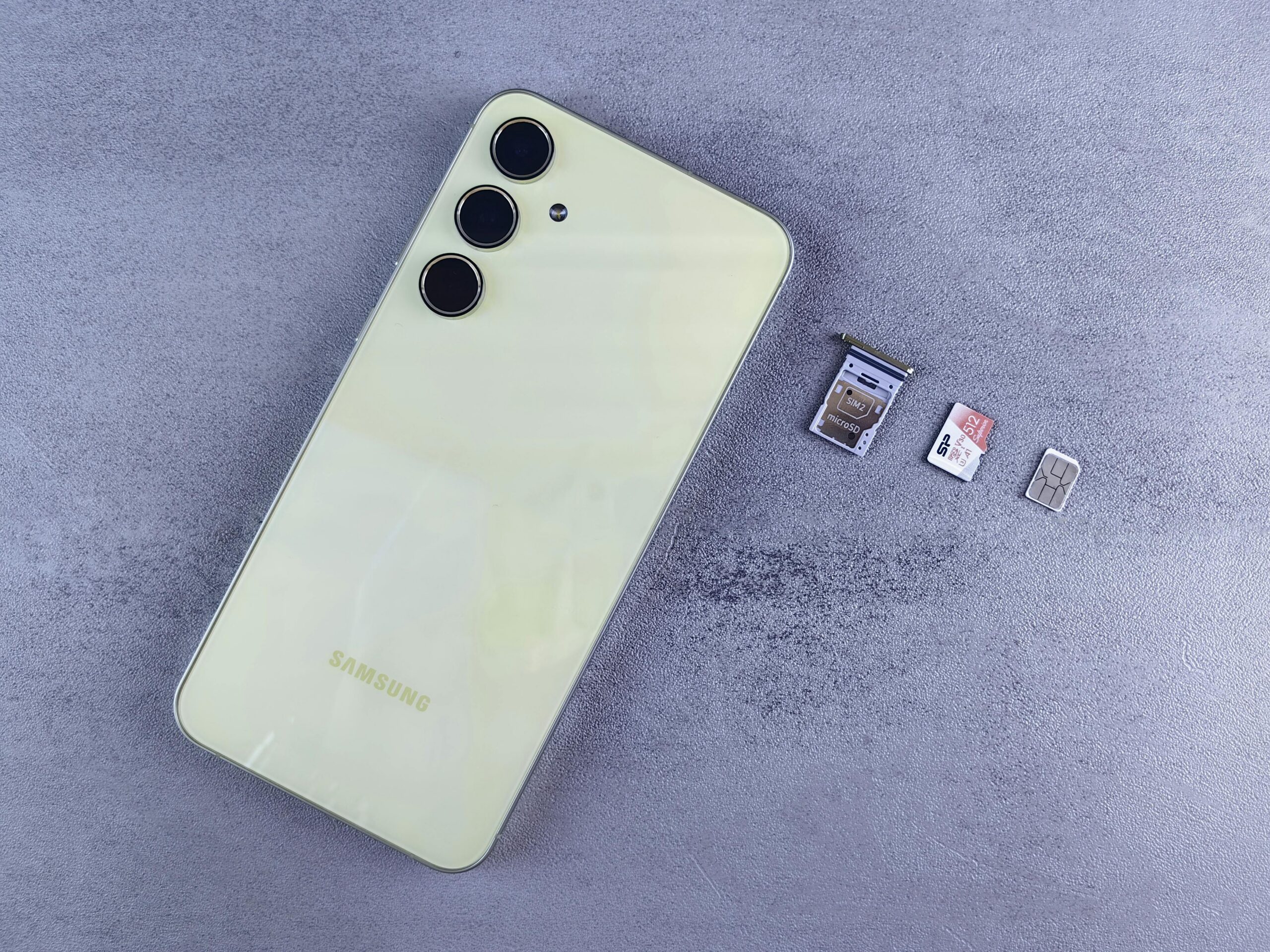
Look for devices with expandable storage if you’re an Android user who stores large media libraries locally. The ability to add a 128GB or 256GB SD card for a reasonable price effectively solves storage concerns permanently.
✨ Enjoying a Fast, Responsive Device Again
Taking control of your phone’s storage transforms your entire mobile experience. Apps launch instantly, the camera is always ready to capture moments, updates install smoothly, and frustrating lag becomes a distant memory.
The strategies outlined here aren’t just one-time fixes but sustainable habits that keep your device running optimally for years. Whether you choose manual management, leverage smart cleaning tools, or embrace cloud storage solutions, you now have the knowledge to maintain a clean, fast smartphone.
Don’t let digital clutter control your mobile life anymore. Implement these techniques today, establish simple maintenance routines, and rediscover the joy of a device that works exactly as it should—quickly, reliably, and without constant storage warnings interrupting your day.
