
Anúncios
Video editing has evolved from a niche skill to an essential tool for content creators, marketers, and storytellers worldwide seeking to captivate audiences.


Whether you’re crafting content for social media, YouTube, or professional projects, the quality of your video editing can make or break your message. The good news is that you don’t need expensive equipment or years of training to produce stunning videos that look professionally edited.
The secret lies in choosing the right tools and mastering fundamental techniques that elevate your work from amateur to polished. In this comprehensive guide, we’ll explore the best video editing applications available today and share insider tips to help you create flawless edits that engage and inspire your audience.
🎬 Why Professional Video Editing Matters More Than Ever
In today’s digital landscape, video content dominates every platform. Studies show that videos generate 1200% more shares than text and images combined, making professional editing not just desirable but essential for anyone serious about their online presence.
Professional editing goes beyond simply cutting clips together. It encompasses color grading, audio optimization, smooth transitions, text overlays, and pacing that keeps viewers engaged from start to finish. When done correctly, your audience won’t even notice the editing—they’ll simply be captivated by the story you’re telling.
The difference between amateur and professional editing often comes down to attention to detail. Small touches like consistent color schemes, well-timed transitions, and crisp audio quality signal to viewers that your content is worth their time and attention.
📱 Top Mobile Apps for Professional Video Editing
Mobile editing has revolutionized content creation, allowing professionals and hobbyists alike to produce broadcast-quality videos directly from their smartphones. Let’s explore the applications that are changing the game.
VivaVideo: Power Meets Simplicity ✨
VivaVideo stands out as one of the most versatile mobile editing platforms available today. With over 200 million users worldwide, this application strikes the perfect balance between professional features and user-friendly interface.
The app offers multi-track timeline editing, allowing you to layer video clips, audio tracks, and effects with precision. Its extensive library includes hundreds of filters, transitions, and effects that can transform ordinary footage into cinematic masterpieces.
What sets VivaVideo apart is its intelligent scene detection technology that automatically identifies the best moments in your footage, saving hours of manual reviewing. The application also supports 4K resolution exports, ensuring your videos maintain professional quality across all platforms.
InShot: Precision Editing on the Go 🎯
InShot has earned its reputation as the go-to app for social media content creators. Its intuitive interface makes complex editing tasks feel effortless, while maintaining professional-grade capabilities.
The application excels at aspect ratio adjustments, making it simple to optimize videos for Instagram Stories, YouTube, TikTok, or any platform-specific requirements. Its trimming and splitting tools are remarkably precise, allowing frame-by-frame editing typically reserved for desktop software.
InShot’s text and sticker features are particularly robust, offering customizable animations and timing controls that help emphasize key messages in your videos. The built-in music library and sound effects collection provide royalty-free audio options for various moods and styles.
KineMaster: Desktop Power in Your Pocket 💪
KineMaster brings professional multi-layer editing capabilities to mobile devices, offering features that rival traditional desktop editing suites. The application supports multiple video, image, effect, text, and audio layers, enabling complex compositions directly on your smartphone.
Its precision editing tools include frame-by-frame trimming, instant preview rendering, and keyframe animation for creating custom motion effects. The chroma key compositing feature allows green screen editing, opening creative possibilities for special effects and virtual backgrounds.

KineMaster’s asset store provides additional content packs including effects, transitions, fonts, and music, allowing you to expand your creative toolkit as your skills develop. The application also offers EQ presets and volume envelope tools for professional audio editing.
💻 Desktop Applications for Advanced Professional Editing
While mobile apps offer incredible convenience, desktop software still reigns supreme for intensive projects requiring maximum control and processing power. These applications provide the most comprehensive toolsets available to video editors.
DaVinci Resolve: Hollywood-Grade Editing for Free 🎥
DaVinci Resolve has disrupted the professional editing landscape by offering a complete post-production suite at no cost. Originally renowned for color grading, the software now provides world-class editing, visual effects, motion graphics, and audio post-production tools.
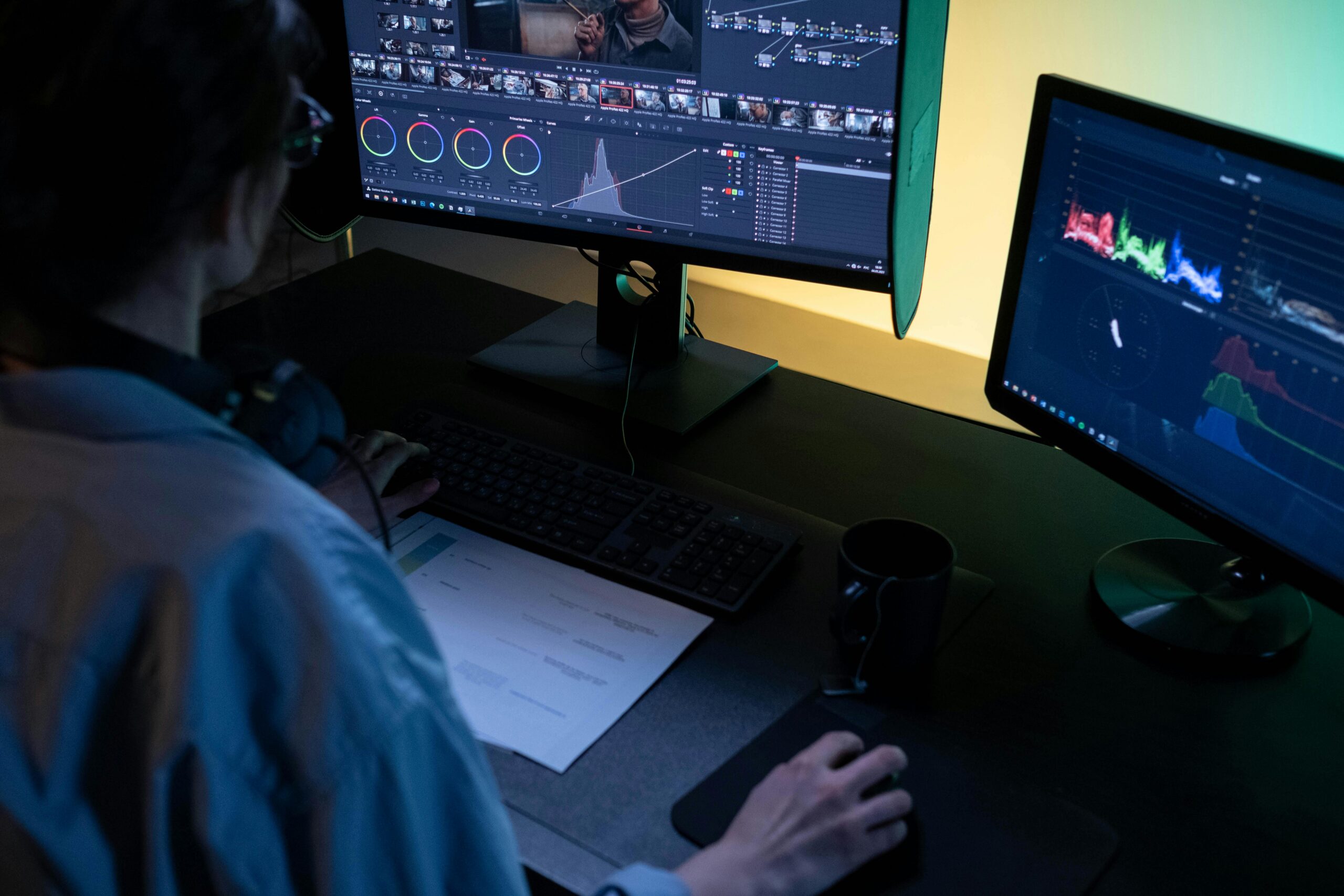
The application’s color grading capabilities remain unmatched, used in countless Hollywood productions and streaming content. Its node-based color correction system offers unprecedented control over your footage’s look and mood.
DaVinci Resolve’s Fusion page integrates advanced visual effects and motion graphics capabilities, while the Fairlight audio page delivers professional mixing and mastering tools. The learning curve is steeper than consumer-level applications, but the results justify the investment of time.
Adobe Premiere Pro: Industry Standard Excellence 🏆
Adobe Premiere Pro remains the industry standard for professional video editing, powering productions from YouTube videos to feature films. Its comprehensive toolset and seamless integration with other Adobe Creative Cloud applications make it invaluable for professional workflows.
The software’s timeline editing is remarkably flexible, supporting unlimited video and audio tracks with sophisticated nesting capabilities. Its extensive plugin ecosystem allows editors to expand functionality infinitely, addressing virtually any specialized need.
Premiere Pro’s dynamic linking with After Effects enables seamless transitions between editing and motion graphics work, while integration with Adobe Audition provides advanced audio editing capabilities without leaving the Creative Cloud ecosystem.
Final Cut Pro: Apple’s Professional Solution 🍎
Final Cut Pro delivers optimized performance on Mac hardware, leveraging Apple’s processors for incredibly fast rendering and playback. Its magnetic timeline revolutionized non-linear editing with intelligent clip positioning and gap elimination.
The application’s multicam editing capabilities support up to 64 camera angles with automatic sync, making it ideal for events, concerts, and interviews. Its powerful organizational tools including smart collections and keyword tagging help manage massive projects efficiently.
Final Cut Pro’s color grading tools have evolved significantly, now offering professional-grade controls including color wheels, curves, and hue/saturation adjustments. The integrated motion graphics features and extensive effect library reduce dependence on third-party applications.
🎨 Essential Techniques for Professional-Looking Edits
Mastering your chosen application is only part of the equation. Understanding fundamental editing principles separates good editors from great ones, regardless of the tools you’re using.
Color Grading: Setting the Mood 🌈
Color grading transforms the emotional impact of your footage. Professional colorists spend years developing their craft, but understanding basic principles can dramatically improve your videos immediately.
Start with color correction—balancing exposure, contrast, and white balance to ensure your footage looks natural and consistent. Only after correction should you move to creative grading, applying stylistic looks that enhance your story’s mood.
Learn to use color wheels or curves to adjust highlights, midtones, and shadows independently. Subtle adjustments often produce more professional results than dramatic filters. Study films and commercials in your genre to understand how color supports narrative and emotional beats.
Audio Excellence: The Overlooked Essential 🔊
Poor audio quality ruins otherwise excellent videos faster than any visual flaw. Professional editors prioritize clean, balanced audio throughout their projects.
Always use multiple audio tracks, separating dialogue, music, and sound effects for independent control. Apply noise reduction to eliminate background hum or hiss without sacrificing voice quality. Use compression to even out volume fluctuations and ensure dialogue remains clearly audible.
Master the art of audio mixing—balancing levels so music enhances rather than overpowers dialogue, and sound effects punctuate without distracting. Professional videos typically keep dialogue between -12dB and -6dB, with music sitting 10-15dB lower during speaking sections.
Transition Mastery: Moving Between Scenes Seamlessly 🔄
Transitions should enhance storytelling, not distract from it. While creative transitions have their place, professional editing relies primarily on cuts, with occasional dissolves and fades for specific purposes.
Use straight cuts for most scene changes—they’re invisible to viewers and maintain pacing. Reserve dissolves for time passage, location changes, or emotional moments. Avoid overusing flashy transitions that scream “amateur editing.”
Match action cuts create seamless transitions by cutting on movement, drawing the eye naturally from one shot to the next. J-cuts and L-cuts, where audio leads or follows the visual cut, create professional flow between scenes while maintaining natural rhythm.
Pacing and Rhythm: Keeping Viewers Engaged ⏱️
Professional editing creates rhythm through strategic pacing adjustments. Action sequences demand quick cuts maintaining energy, while contemplative moments benefit from longer takes allowing emotional connection.
Vary your shot lengths to maintain visual interest. Extended sequences of similarly-timed cuts feel monotonous, while rhythmic variation keeps audiences engaged. Edit to the beat of your music when appropriate, creating satisfying synchronization between audio and visual elements.
Watch your rough cuts with fresh eyes, identifying sections that drag or feel rushed. Don’t fall in love with footage—if a clip doesn’t serve your story, cut it regardless of how beautiful or difficult it was to capture.
🚀 Advanced Features That Elevate Your Edits
Once you’ve mastered fundamentals, these advanced techniques will distinguish your work as truly professional-grade content.
Motion Graphics and Text Animation 📝
Dynamic text and graphics add polish and clarity to professional videos. Learn to animate text with purpose—entrances, exits, and movements should feel motivated rather than arbitrary.
Use keyframing to create custom animations that match your brand and content style. Professional motion graphics follow principles of timing and easing—movements accelerate and decelerate naturally rather than moving at constant speeds.
Typography matters enormously in video. Choose fonts that complement your content and remain readable at various screen sizes. Maintain consistent styling throughout projects, establishing visual language that reinforces your brand identity.
Speed Ramping and Time Manipulation ⚡
Speed ramping—gradually accelerating or decelerating footage—adds cinematic flair when used appropriately. This technique works beautifully for emphasizing key moments, creating dramatic reveals, or maintaining energy during transitions.
Time remapping allows selective slow motion or speed-up within single clips, creating dynamic visual interest. Use optical flow or frame blending technologies to maintain smooth motion during speed changes, avoiding choppy playback.
Masking and Compositing 🎭
Masking enables selective adjustments to specific areas of your frame. Use masks for selective color grading, creating focus through selective blur, or compositing multiple elements seamlessly.
Learn rotoscoping for organic mask shapes that follow moving subjects. While time-intensive, this technique opens creative possibilities for effects, corrections, and compositing that elevate production value dramatically.
📊 Optimizing Your Workflow for Efficiency
Professional editors work efficiently, maximizing creative time by optimizing technical processes. These workflow strategies help you produce more content without sacrificing quality.
Organization and Project Management 📁
Establish consistent folder structures and naming conventions before starting projects. Organize footage by scene, date, or camera, with separate folders for audio, graphics, and exports. This organization saves countless hours searching for files during editing.
Use metadata and tagging features within your editing application. Tag your best takes, mark clips requiring color correction, and rate footage during initial reviews. These organizational tools streamline editing by surfacing the right content when needed.
Keyboard Shortcuts and Custom Workspaces ⌨️
Learn keyboard shortcuts for your editing application—they dramatically accelerate your workflow. Most professional editors rarely touch their mouse for basic editing tasks, relying instead on memorized keyboard commands.
Customize your workspace layout for different editing phases. Create dedicated arrangements for cutting, color grading, and audio mixing, allowing single-click transitions between optimized interfaces for each task.
Rendering and Export Settings 💾
Understanding export settings ensures your finished videos maintain quality while meeting platform requirements. Different destinations demand different specifications—YouTube prefers different settings than Instagram or broadcast delivery.
Use hardware acceleration when available, leveraging your computer’s GPU to dramatically speed up rendering. Learn your application’s proxy workflow for editing high-resolution footage smoothly on less powerful systems.
🌟 Developing Your Unique Editing Style
Technical proficiency provides the foundation, but developing a distinctive editing style establishes your creative identity and makes your work recognizable.
Study editors whose work you admire. Analyze their timing choices, transition preferences, color palettes, and pacing decisions. Identify patterns and techniques you can adapt to your own work while maintaining originality.
Experiment fearlessly with new techniques, even when they feel uncomfortable initially. Growth as an editor requires pushing beyond familiar approaches, testing creative boundaries, and occasionally failing spectacularly.
Create personal projects specifically for skill development. Edit scenes from your favorite films, recreate commercial styles you admire, or challenge yourself with technical exercises. These experiments build capabilities you’ll apply to client work and personal content.
🎓 Continuous Learning and Skill Development
The video editing landscape evolves constantly, with new techniques, tools, and trends emerging regularly. Professional editors commit to lifelong learning, staying current with industry developments.
Online learning platforms offer comprehensive courses from industry professionals. Websites like Skillshare, Udemy, LinkedIn Learning, and YouTube provide tutorials ranging from beginner basics to advanced specialized techniques.
Join editing communities where professionals share knowledge, critique work, and discuss industry trends. Reddit’s editing subreddits, Facebook groups, and Discord servers connect you with editors at all skill levels worldwide.
Analyze your own work critically, identifying areas for improvement with each completed project. Maintain a portfolio showcasing your best work, updating it regularly as your skills advance and your style evolves.
✨ Making Your Edits Truly Impeccable
Achieving consistently impeccable edits requires combining technical skill, artistic sensibility, and meticulous attention to detail. The difference between good and exceptional editing often exists in subtle refinements most viewers won’t consciously notice but will definitely feel.
Develop a systematic review process before considering projects complete. Watch your edit multiple times in different contexts—on large screens, mobile devices, with headphones, and through speakers. Each viewing reveals different issues requiring attention.
Seek feedback from trusted colleagues or mentors who can provide objective critique. Fresh eyes catch issues you’ve become blind to after hours of editing. Accept constructive criticism gracefully, recognizing it as fuel for improvement.
Remember that professional editing serves the story above all else. Technical perfection means nothing if the edit doesn’t communicate effectively, evoke emotion, or achieve its intended purpose. Every cut, effect, and adjustment should serve your narrative goals.
As you continue developing your editing skills, maintain patience with yourself. Professional-level editing expertise develops over years of practice, experimentation, and learning from both successes and failures. Each project completed makes you stronger, more capable, and more confident in your creative decisions.
The journey to impeccable editing never truly ends—there’s always a new technique to master, a challenging project pushing your boundaries, or an innovative approach transforming industry standards. Embrace this continuous evolution, finding joy in both the process and the polished results of your creative work.
