
Running out of storage space on your smartphone is frustrating, but the right apps can help you reclaim precious gigabytes and optimize what you already have.
Modern smartphones pack incredible power, but storage limitations remain a common pain point. Whether you’re dealing with thousands of photos, bulky videos, or app data accumulating in the background, finding ways to expand or better manage your available space has become essential.
Fortunately, technology offers multiple solutions beyond simply deleting files or buying a new device. From cloud storage platforms to intelligent cleaning tools, apps designed to increase or optimize storage can transform how you use your phone. Let’s explore the most effective options available today. 📱
Understanding Your Storage Challenges
Before diving into specific apps, it’s worth understanding where your storage actually goes. Most users are surprised to learn that apps themselves often take up less space than their accumulated data. Cached images, offline maps, downloaded playlists, and message attachments can balloon to several gigabytes without you noticing.
Photos and videos typically consume the largest chunk of storage. A single minute of 4K video can occupy up to 400MB, while high-resolution photos average 3-5MB each. Multiply that by hundreds or thousands of files, and you quickly see why storage fills up so fast.
System files and operating system updates also claim significant space. On both Android and iOS devices, the OS itself can require 10-15GB, leaving less room than your device’s advertised capacity suggests. This makes strategic storage management not just helpful, but necessary for smooth operation.


Cloud Storage Apps That Expand Your Capacity ☁️
Cloud storage represents the most straightforward way to increase available space. By moving files off your device and into secure online servers, you maintain access while freeing up local storage.

Google Drive: The All-Purpose Solution
Google Drive offers 15GB of free storage shared across Gmail, Google Photos, and Drive itself. The app seamlessly integrates with Android devices and works excellently on iOS too. You can automatically back up photos, documents, and videos, then remove them from your phone while keeping them accessible through the app.
The search functionality is particularly impressive, using Google’s AI to identify objects, text within images, and even handwritten notes. For users invested in the Google ecosystem, this app provides the most cohesive experience. Paid plans start at reasonable prices if you need more than the free allocation.
iCloud Drive: Perfect for Apple Users
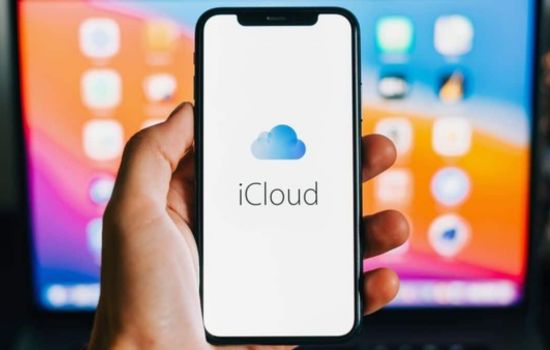
Apple’s native solution provides 5GB free, with paid tiers offering much more. If you’re an iPhone user, iCloud integration happens automatically, backing up photos, messages, app data, and system settings without manual intervention.
The “Optimize iPhone Storage” feature intelligently keeps full-resolution photos in the cloud while storing compressed versions locally. This alone can free up dozens of gigabytes. iCloud Drive also enables file sharing across all your Apple devices, creating a unified storage ecosystem.
Dropbox: Cross-Platform Reliability
Dropbox pioneered cloud storage and remains one of the most reliable options. While the free tier offers only 2GB, the app’s stability and cross-platform support make it valuable for users who switch between different devices and operating systems.
The offline folder feature lets you designate specific files for local access, while everything else stays in the cloud. This gives you control over what consumes device storage. Dropbox also excels at file sharing and collaboration, making it ideal for work-related storage expansion.
Microsoft OneDrive: Office Integration Advantage
OneDrive provides 5GB free and integrates beautifully with Microsoft Office apps. If you work with Word, Excel, or PowerPoint documents, OneDrive automatically saves files to the cloud, preventing storage buildup on your device.
The Camera Roll backup feature works similarly to Google Photos, automatically uploading pictures and videos. OneDrive also offers a “Files On-Demand” feature that shows files in your folder structure without actually downloading them until you need them—a clever way to access large libraries without storage costs.
Photo Management Apps That Save Space 📸
Since photos and videos dominate storage consumption, specialized apps targeting these files can make dramatic differences in available space.
Google Photos: Unlimited Compressed Storage
Google Photos offers unlimited storage for photos and videos compressed to “Storage Saver” quality, which remains excellent for most viewing purposes. The app automatically backs up your media, then prompts you to delete local copies once they’re safely stored.
The intelligent organization features use machine learning to categorize photos by people, places, and things without any manual tagging. You can search for “beach” or “birthday cake” and instantly find relevant photos. The “Free up space” button makes it effortless to remove backed-up photos from your device.
Amazon Photos: Prime Members’ Secret Weapon
If you’re an Amazon Prime member, you already have unlimited full-resolution photo storage through Amazon Photos. The app automatically backs up images from your phone and provides 5GB for videos.
The interface feels less polished than Google Photos, but the unlimited full-quality photo storage at no additional cost (beyond your Prime membership) makes it incredibly valuable. You can confidently delete photos from your device knowing originals remain preserved.
Photo Cleaner Apps: Eliminate Duplicates and Blurs
Apps like Remo Duplicate Photos Remover, Gemini Photos, and Cleanup scan your library for duplicate images, similar shots, and blurry photos that waste space. These apps can quickly identify hundreds of unnecessary files you’d never find manually.
After a quick scan, they present grouped duplicates and poor-quality images for review. With a few taps, you can delete entire categories of wasted space. Some apps also identify large videos and screenshots you might have forgotten about.
File Management and Cleaning Apps 🧹
Beyond moving files to the cloud, specialized cleaning apps help you identify and remove junk that accumulates invisibly.
Files by Google: Built-In Intelligence
This official Google app does more than basic file browsing. It actively identifies junk files, duplicate documents, memes you’ve already shared, and apps you haven’t used in months. The suggestions feel remarkably accurate, making cleanup decisions easy.
The app also includes a file transfer feature that uses peer-to-peer connections to share files between devices without internet, and it works with any Android phone. There’s even a built-in browsing feature for accessing files stored on cloud services.
CCleaner: Desktop Power on Mobile
The famous desktop cleaning tool also offers a mobile version that clears cache files, download history, clipboard content, and call logs. It also provides a system monitor showing CPU usage and RAM consumption.
The app analyzer identifies which apps consume the most space and which ones you use least frequently. This data-driven approach helps you make informed decisions about what to keep and what to remove.
SD Maid: Deep Android Cleaning
For Android users comfortable with more technical tools, SD Maid offers advanced cleaning features. It finds leftover files from uninstalled apps, system cache buildup, and duplicate files across your entire device.
The app requires no root access for most features, though rooted devices unlock additional capabilities. The one-time purchase removes ads and unlocks scheduled automatic cleaning—a set-it-and-forget-it solution for maintaining free space.
Streaming Apps That Reduce Download Needs 🎵
One often-overlooked storage strategy involves changing how you consume media. Streaming instead of downloading can preserve gigabytes.
Spotify and Apple Music: Smart Downloading
Both major music streaming services let you download songs for offline listening, but they also offer smart features to manage this storage. Spotify’s “Storage Saver” mode automatically removes songs you haven’t played in a while, while keeping frequently played tracks available.
Setting audio quality to “Normal” instead of “Very High” can reduce file sizes by 60% without noticeable quality loss on phone speakers or standard earbuds. You can also designate a specific storage limit for downloads, preventing music from consuming too much space.
YouTube Premium: Background Play Without Downloads
If you frequently download YouTube videos to watch later, YouTube Premium’s background play and offline viewing features might eliminate that need. The service lets you save videos temporarily with automatic expiration, preventing old downloads from accumulating.
The downloads are also compressed more efficiently than third-party download tools, saving space while maintaining quality. Combined with the ad-free experience, it presents a comprehensive solution for video storage management.
Compression Apps for Files You Must Keep
Sometimes you need to keep files on your device but can compress them to save space. Several apps handle this elegantly.
WinZip and RAR: Classic Compression
These apps bring desktop-grade file compression to mobile devices. You can compress documents, photos, and other files into ZIP or RAR archives that take up significantly less space. When you need the files, simply extract them.
This works particularly well for documents you reference occasionally but don’t need constant access to—old tax records, instruction manuals, or project archives. The compression ratio varies by file type, but documents often compress to 50% or less of their original size.
PDF Compressor Apps
PDF files can be surprisingly large, especially when they contain embedded images. Apps specifically designed for PDF compression can reduce file sizes by 70-80% while maintaining readability.
This proves especially useful for scanned documents, receipts, and forms you need to keep for reference. A folder of PDFs occupying 500MB might shrink to 100MB after compression, freeing substantial space without losing any information.
Maximizing Your Current Storage Strategy 💡
The most effective approach combines multiple strategies rather than relying on a single solution. Start by moving your largest files—photos and videos—to cloud storage. This typically provides the biggest immediate impact.
Next, run a cleaning app to eliminate cache files, duplicates, and forgotten downloads. You’ll be surprised how much space accumulates in these hidden areas. Then review your apps and remove ones you haven’t used in the past month. You can always reinstall them later if needed.
Finally, change your habits slightly. Stream music instead of downloading entire albums. Set cloud backup apps to automatically upload and delete photos. Configure apps to use “lite” versions when available—Facebook Lite, Messenger Lite, and similar alternatives use a fraction of the storage their full versions require.
When to Consider Hardware Solutions
While apps provide excellent storage management, sometimes hardware upgrades make more sense. If you’re consistently running out of space despite optimization, consider these alternatives.
For Android devices that support expandable storage, a high-quality microSD card can add 128GB or more at reasonable cost. Modern cards are fast enough for most uses, including recording 4K video directly to the card.
External storage drives that connect via USB-C or Lightning ports offer another option. You can store large video files, photo libraries, or document archives on these drives and access them when needed without occupying phone storage.
Cloud storage subscriptions also qualify as a hardware-adjacent solution. For the cost of a fancy coffee each month, 100GB of cloud storage can eliminate storage anxiety completely for most users. The convenience and automatic backup protection often justify the expense.
Privacy Considerations When Expanding Storage 🔒
Uploading personal files to cloud services requires trust. Research the encryption standards and privacy policies of any cloud storage provider you’re considering. End-to-end encrypted options exist if privacy is your top priority, though they may sacrifice some convenience features.
Read permissions carefully when installing cleaning and management apps. Some request access beyond what’s necessary for their stated function. Stick with well-reviewed apps from reputable developers to minimize privacy risks.
Remember that free cloud storage services may scan your files for various purposes, from improving search algorithms to targeted advertising. This isn’t necessarily sinister, but you should understand how your data is being used. Paid tiers often include stronger privacy guarantees and enhanced security features.
Building Long-Term Storage Habits
The best storage solution is preventing the problem in the first place. Develop simple habits that keep space available without constant intervention.
Set a monthly reminder to review and delete unnecessary photos, screenshots, and downloads. This 10-minute routine prevents massive buildup requiring hours to address later. Enable automatic cloud backup for photos so deletion doesn’t mean losing memories.
Be selective about app installations. Before downloading something new, ask whether you really need it or if a web version would suffice. Uninstall apps immediately after determining they’re not useful rather than leaving them “just in case.”
Periodically audit messaging apps, which often accumulate gigabytes of shared media. Configure settings to prevent automatic downloads of photos and videos in group chats. You can manually save items you actually want to keep.
The Future of Mobile Storage Management
Technology continues evolving to address storage limitations. Operating systems grow smarter about managing files automatically, identifying what you access frequently versus what can be offloaded to the cloud.
5G networks make cloud storage more practical by enabling faster uploads and downloads. As connectivity improves, the distinction between local and cloud storage becomes less meaningful—everything feels instantly accessible regardless of physical location.
Artificial intelligence increasingly powers storage recommendations, learning your usage patterns to suggest what can be safely deleted or moved. These systems grow more sophisticated each year, requiring less manual decision-making from users.
The fundamental challenge—balancing capability with physical limitations—won’t disappear, but the tools for managing it keep improving. By combining today’s best apps with smart habits, you can comfortably use your device without storage anxiety interrupting your experience.
